- Dashboard
- Widgets
- AI Diary
- AI Humanizer
- AI Image
- Audio Editor
- Base64 / URL Encoder
- Calendar
- Canvas
- Collection
- Color Picker
- Container
- Countdown Timer
- Currency Converter
- Daily Quiz
- Daily Quote
- Daily Riddle
- Date & Time
- Embed
- GitHub Releases
- Google Calendar
- Habit Tracker
- Hacker News
- Image Compression
- IP Info
- JSON Formatter
- Links
- Markdown Editor
- News
- News Summary
- Notes
- Photo Frame
- Podcast
- Pomodoro Timer
- Product Hunt
- QR Code Generator
- Quick Answer
- Quick Note
- Regex Tester
- RSS Feed
- Search
- Spacer
- Stopwatch
- Story Snippet
- Stripe Sales
- Subreddit
- Substack
- t0ggles Focus
- t0ggles My Boards
- t0ggles My Tasks
- Tasks
- Text Diff
- Todo
- TradingView Advanced Chart
- TradingView Market Summary
- TradingView Mini Chart
- TradingView Symbol Overview
- TradingView Ticker Tape
- Translation
- Unit Converter
- Uptime Monitor
- Weather
- What If
- World Clock
- YouTube Channel
Creating a Page
Add a new page to your dashboard whenever you want a fresh space for a different set of widgets.
#Steps
- Look for the + New Page button at the end of your page tabs.
- Click it to open the new page form.
- Type a title for your page.
- Optionally, pick an icon or upload an image to show next to the title.
- Click Create Page.
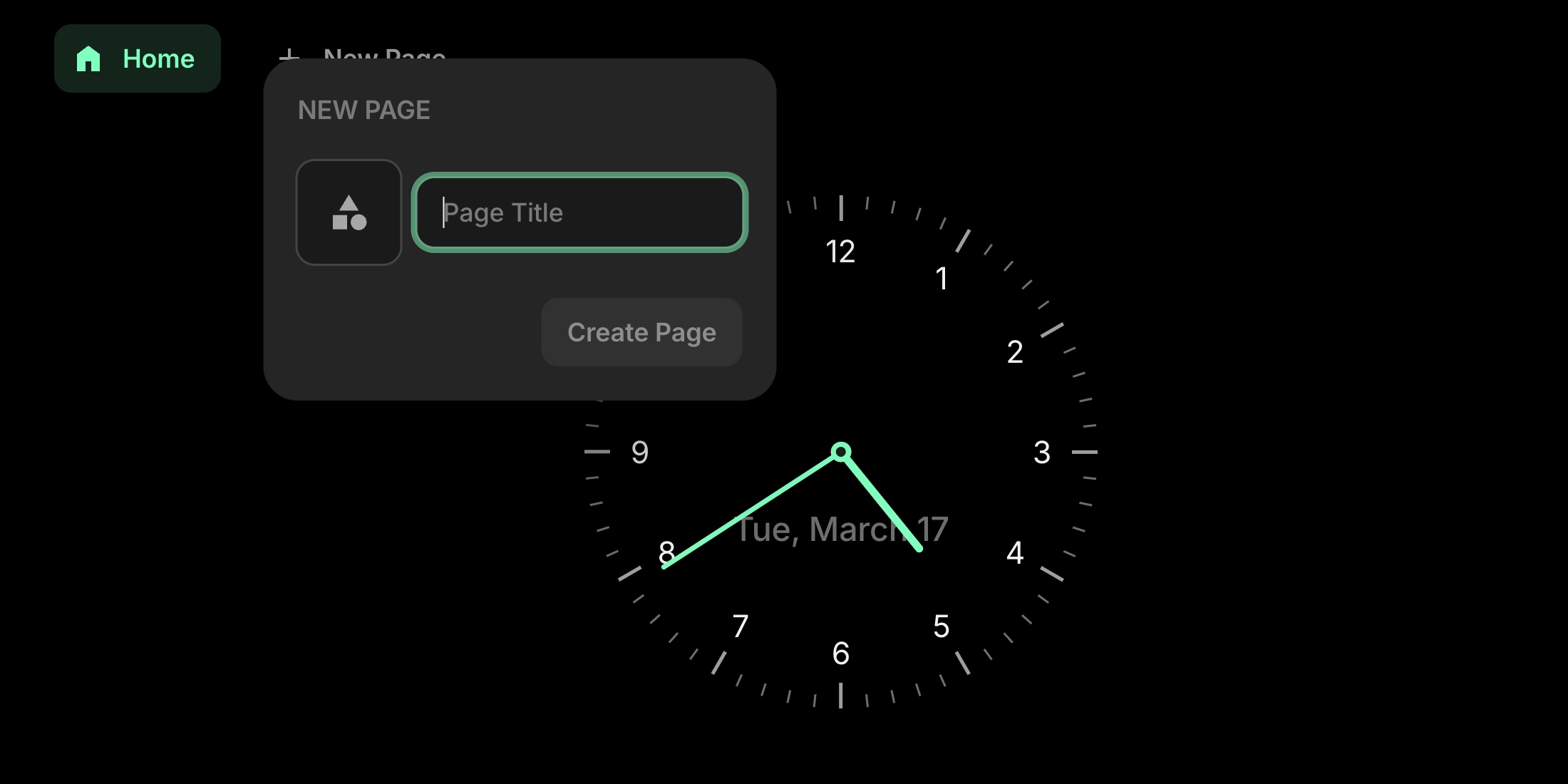
New page form with title input and icon picker
Your new page appears as a tab and is ready for you to add widgets to it.
#Plans
The free plan includes 1 page. Any paid plan gives you unlimited pages - see Plans.
Uploading an image for the page icon is a paid feature. On the free plan, pick one of the built-in icons instead.