
The Trello Alternative That Lives in Your New Tab
Trello is the classic Kanban board with cards, lists, and Power-Ups. Start Page HQ puts that same Kanban inside every new tab — alongside notes, RSS, weather, and 63+ other widgets in one plan.
What People Love About Trello
Before we get into where Start Page HQ goes further, credit where it's due.
- A genuinely intuitive Kanban experience — drag cards, drop lists, done. Few tools make boards feel this natural.
- A solid free tier that covers most personal projects and small teams.
- A massive Power-Ups ecosystem with 200+ integrations like Slack, Google Drive, and Jira.
- Polished native apps for Mac, Windows, iOS, and Android, plus a clean web app.
- Strong team collaboration — comments, mentions, attachments, and assignees on every card.
Where Start Page HQ Goes Further
Specific differences, not vague claims.
Kanban on Every New Tab
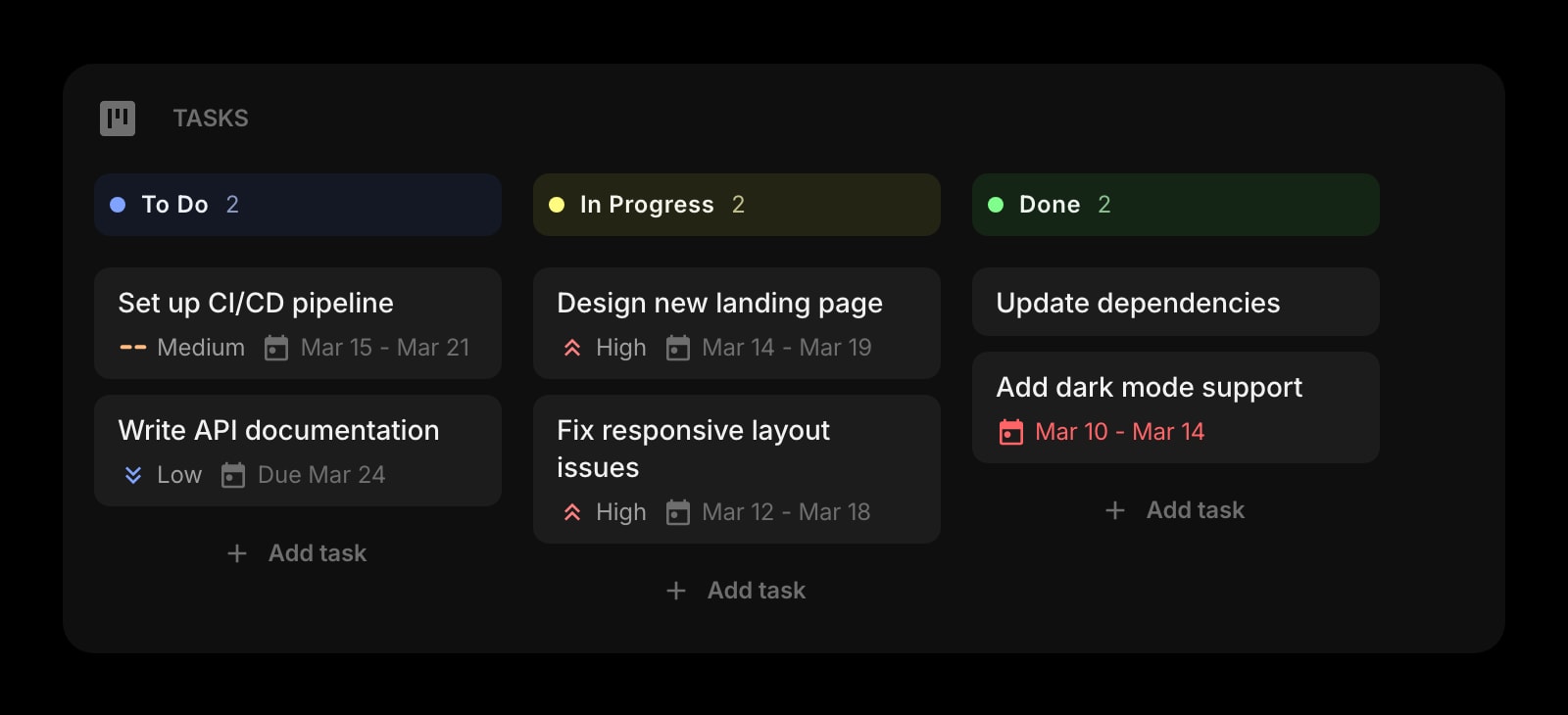
Trello is a destination you have to open. Start Page HQ puts a Kanban board on your start page, so today's cards are visible the moment you open a browser — no app launch, no workspace navigation.
63+ Widgets, Not Just Boards
Trello is a single-purpose board tool. Start Page HQ ships Kanban tasks alongside notes, todos, RSS, weather, AI tools, dev utilities, and calendars — all on the same dashboard.
Multi-Page Dashboards by Context
Build a Work page with Tasks and Calendar, a Personal page with Habits and Todo, a Reading page with Feed and Hacker News. Switch with a click instead of opening different boards.
Flat Personal Pricing
Trello bills $5-$17.50 per user per month for Standard through Enterprise. Start Page HQ has a free plan for the basics, and the Tasks widget is one of the premium ones — so Kanban comes with a flat $4/month, $24/year, or $48 lifetime. One flat price for you with every widget included, and a per-seat Teams plan ($4/seat/month) if your team wants a shared dashboard.
Built-In Productivity and Dev Tools
Pomodoro timer, habit tracker, JSON formatter, regex tester, currency converter, QR generator — included. Trello requires Power-Ups (paid tier) for most of these.
Hosted Web App on Any Browser
Use startpagehq.com on any browser — including locked-down work computers — or install extensions for Chrome, Firefox, Safari, and Edge. No admin install required for the web app.
Side-by-Side Comparison
An honest line-by-line look at how the two stack up.
| Feature | Trello | Start Page HQ |
|---|---|---|
| Pricing | Free or $5-$17.50/user/mo | Free plan; $4/mo, $24/yr, $48 LTD |
| Free tier | Yes (10 collaborators) | 1 page, 8 widgets (no Kanban) |
| Lives on every new tab | No | Yes |
| Chrome | Yes | Yes |
| Firefox | Yes | Yes |
| Safari | Yes | Yes |
| Edge | Yes | Yes |
| Hosted web app | Yes | Yes |
| iOS / Android apps | Yes | Web app (PWA) |
| Cross-device sync | Included | Included |
| Kanban tasks | Yes | Yes |
| Multi-page dashboards | Workspace boards | New tab dashboards |
| Notes / quick capture widget | Card descriptions | Yes |
| Pomodoro timer / habit tracker | Power-Ups | Built-in |
| RSS / Hacker News / podcasts | No | Yes |
| AI tools (image gen, translation, summary) | Add-ons | Included |
| Developer tools (JSON, regex, diff) | No | Yes |
| Calendar / Timeline / Gantt views | Premium tier | Calendar widget |
| Shared team boards | Yes | Teams workspaces |
| Assignees, comments & mentions | Yes | No |
| Power-Ups / integrations ecosystem | 200+ | Built-in widgets |
Widgets That Replace Trello
Drop these onto your dashboard and you've covered Trello's core features — plus a lot more.
Frequently Asked Questions
For personal Kanban — daily tasks, side projects, content pipelines — yes. The Tasks widget covers the core workflow. With Start Page HQ Teams, a Tasks board can also live in a shared workspace the whole team opens on every new tab. But cards can't be assigned to people and have no comments or mentions, and changes appear on the next tab open rather than live. If your team runs on assignees and card discussions, Trello still wins.
There is a free plan, and signup takes no credit card: 1 page with up to 8 widgets, 55 of the 63 widget types, cross-device sync, every browser extension, and 50 AI credits granted once. The Tasks widget is not one of them — Kanban is one of the 8 premium widgets, so it needs a paid plan: $4/month, $24/year, or $48 one-time. The demo at startpagehq.com/demo needs no signup and unlocks Tasks along with every other widget.
Trello is free for personal use, then $5/user/month Standard, $10/user/month Premium, or $17.50/user/month Enterprise (annual billing). Start Page HQ has a free plan too, but it stops at 1 page, 8 widgets, and no Kanban — Tasks arrives with a flat $4/month, $24/year, or $48 lifetime, no per-seat math, every widget included.
Yes. Cross-device sync is included on every plan, the free one included. Sign in once and your boards, cards, and dashboards sync across every browser and device automatically.
There is no automated Trello importer. Most users keep their team Trello workspace and rebuild personal boards in the Tasks widget — it takes a couple of minutes. Paste your most-used Trello URLs into the Links widget for one-click access alongside your new Kanban.
Start Page HQ doesn't have a Power-Ups marketplace. Instead, the things people install Power-Ups for — calendars, time tracking, custom fields, automation — are built-in widgets you drop directly onto a page.
Ready to Try Start Page HQ?
Start free — 1 page, 8 widgets, sync across devices, no credit card. Or open the live demo first, no signup needed.