
One new tab.
The whole team.
Start Page HQ turns your browser's new tab into a page of links, feeds, tasks and tools. With Teams, everyone opens the same one: editors keep it current, the rest just open a tab.
From $4 per seat per month · minimum 2 seats · cancel any time
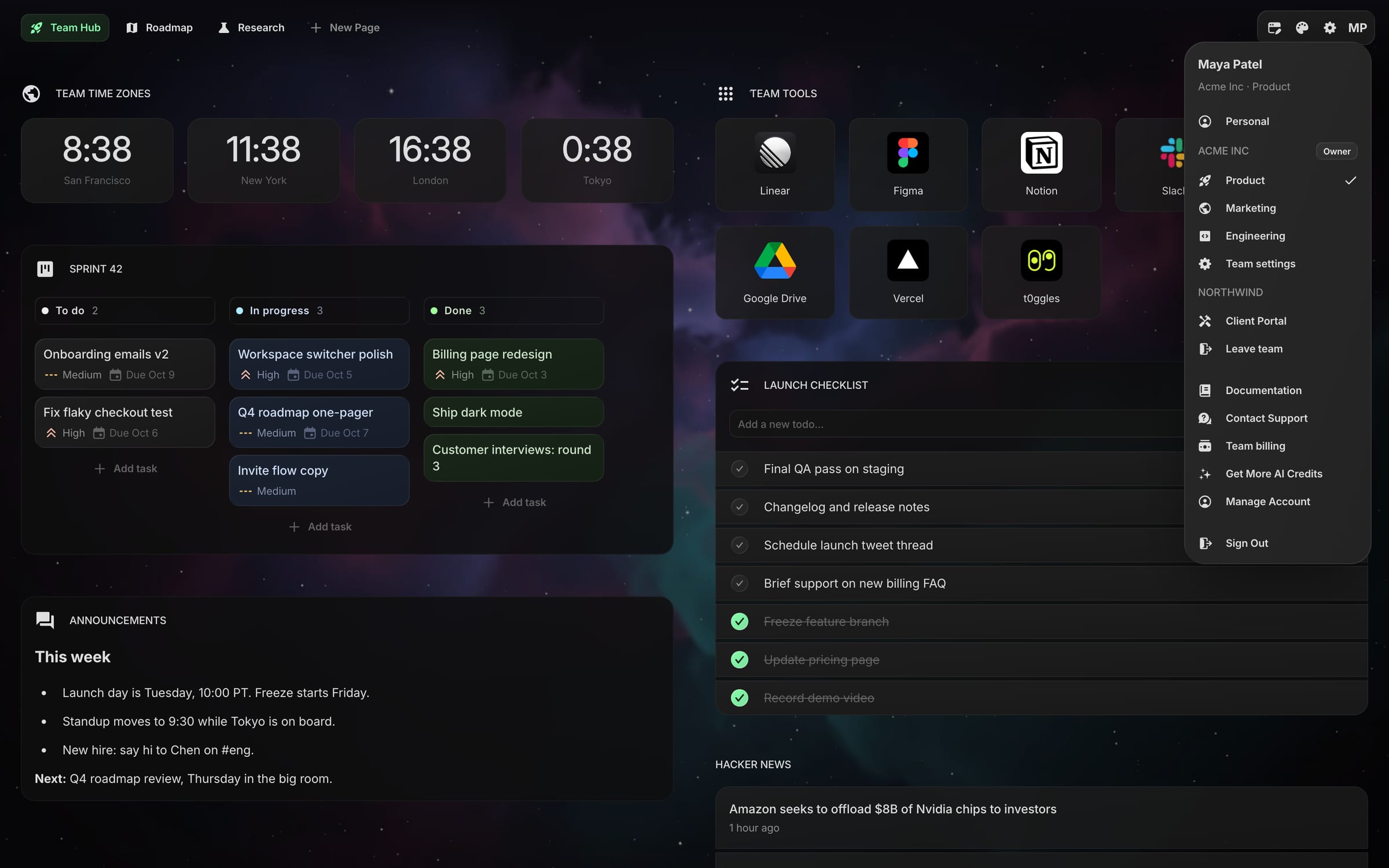
Up and running in minutes.
No admin console, no migration. A team is three steps from the pricing panel.
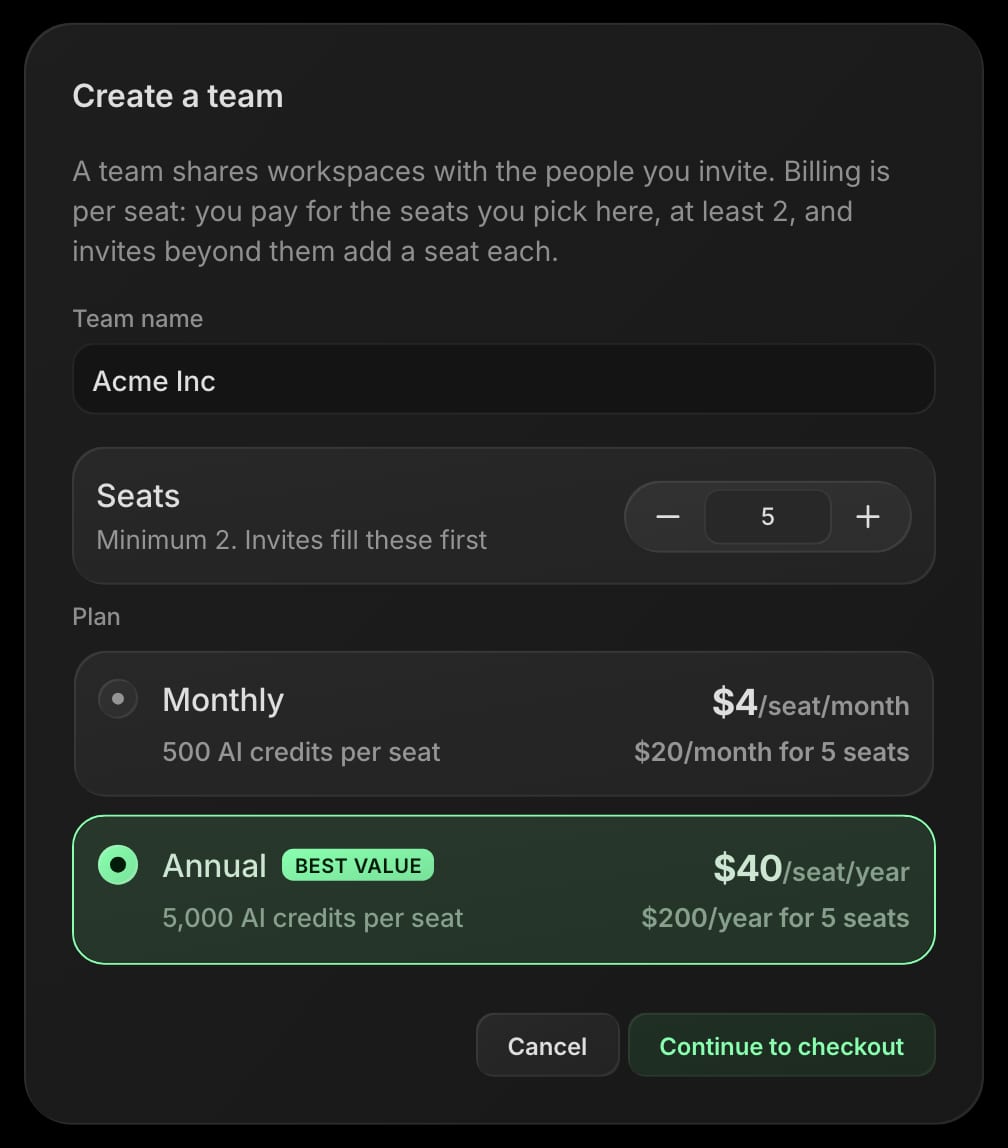
Create a team
Pick Team on the pricing panel, set how many seats you need, choose monthly or annual, and check out. Name your team when you land, and your first workspace is ready.
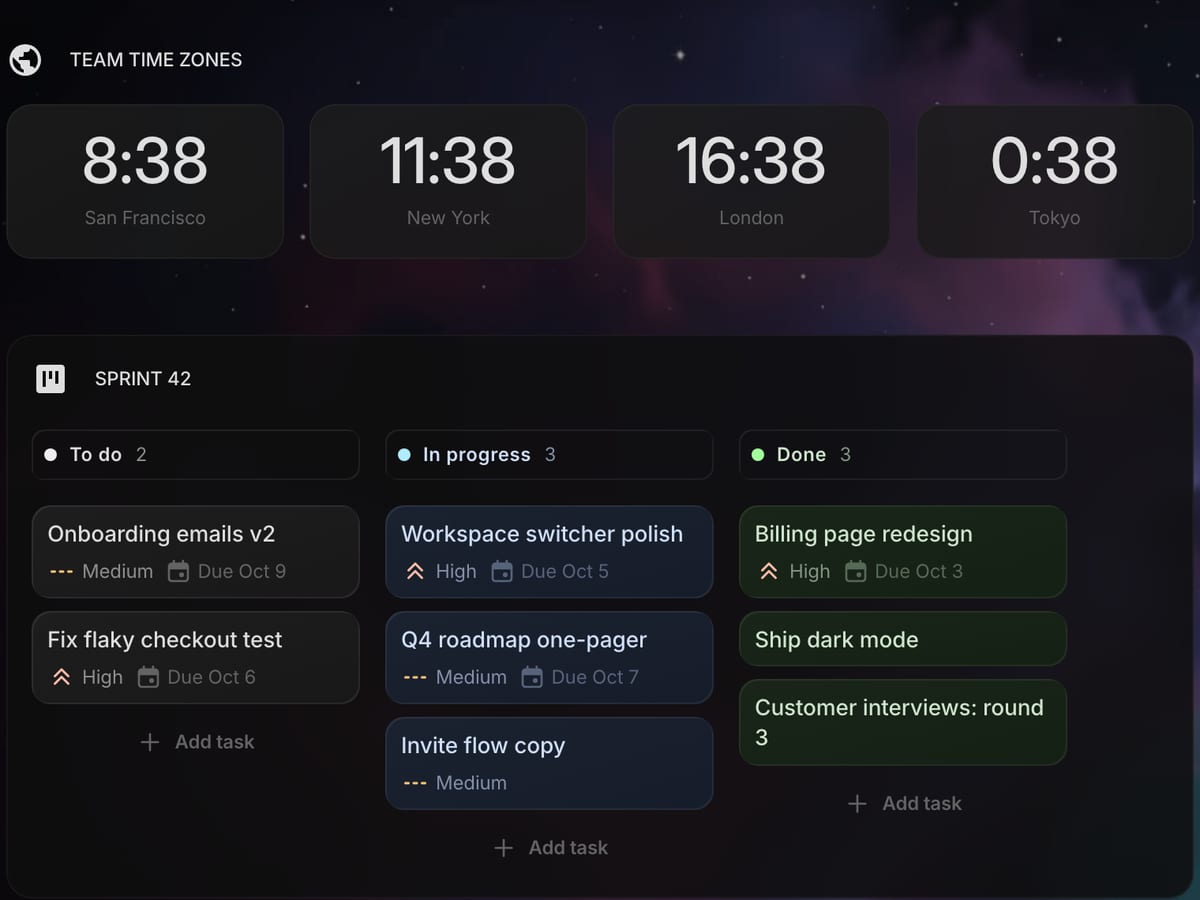
Build the shared dashboard
Add pages and widgets exactly as you would on your own dashboard — links, feeds, tasks, notes, calendars, tools. Set the theme and wallpaper once for everyone.
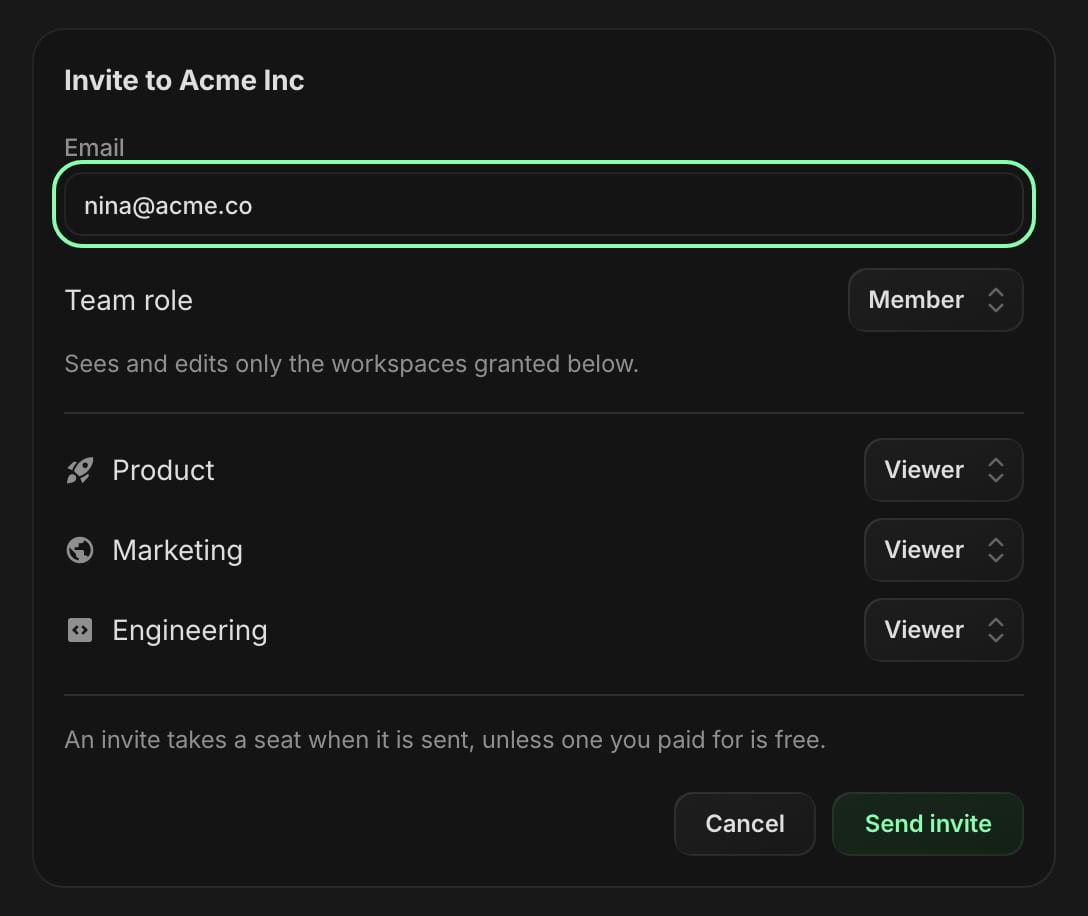
Invite people with roles
Invite by email from Team settings. Each person gets a team role and, per workspace, editor or viewer access. They switch between personal and team from the avatar menu.
One team. Every dashboard it needs.
Split the team into workspaces. Each one has its own pages, widgets, theme and wallpaper, and its own list of who can edit.
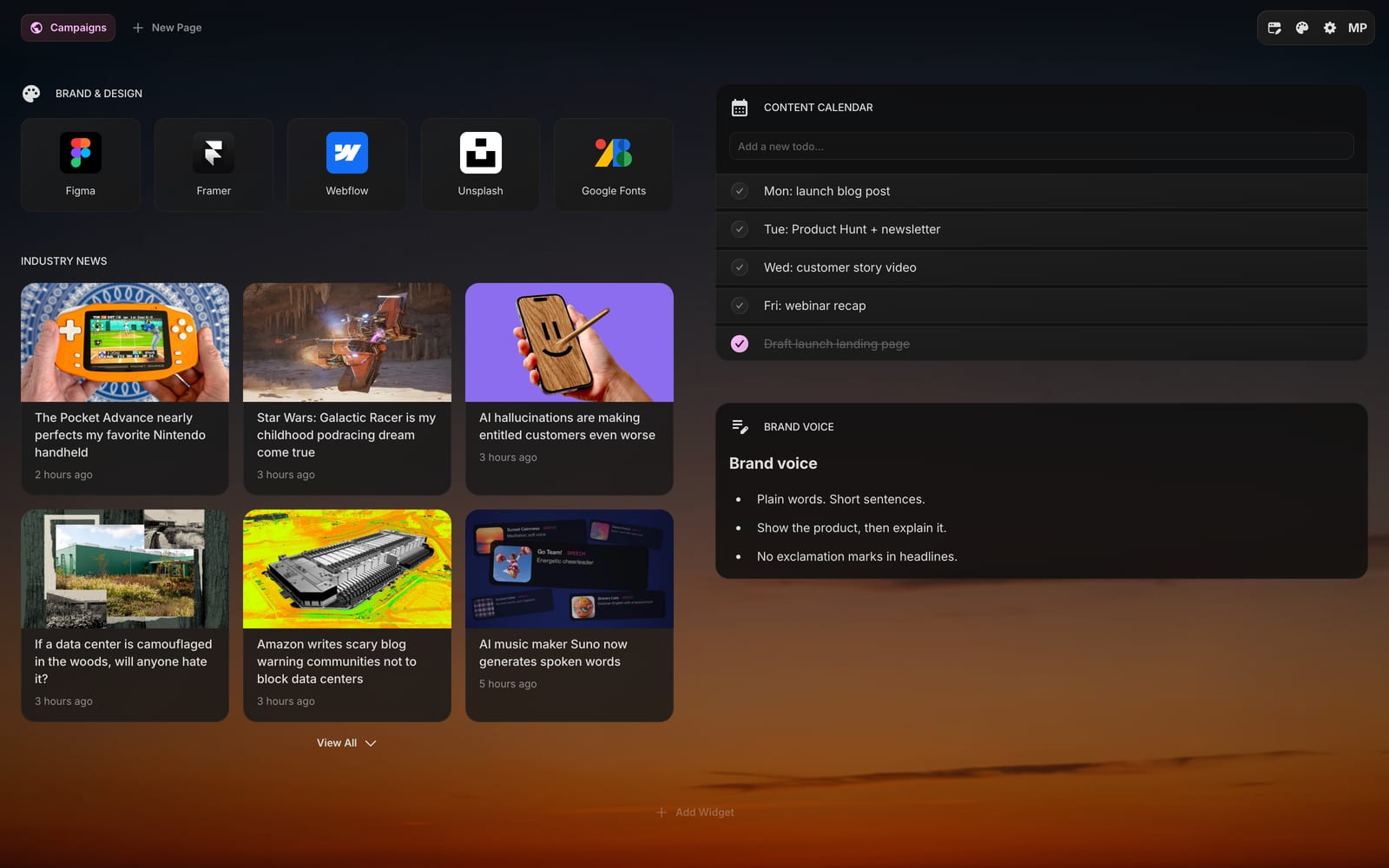
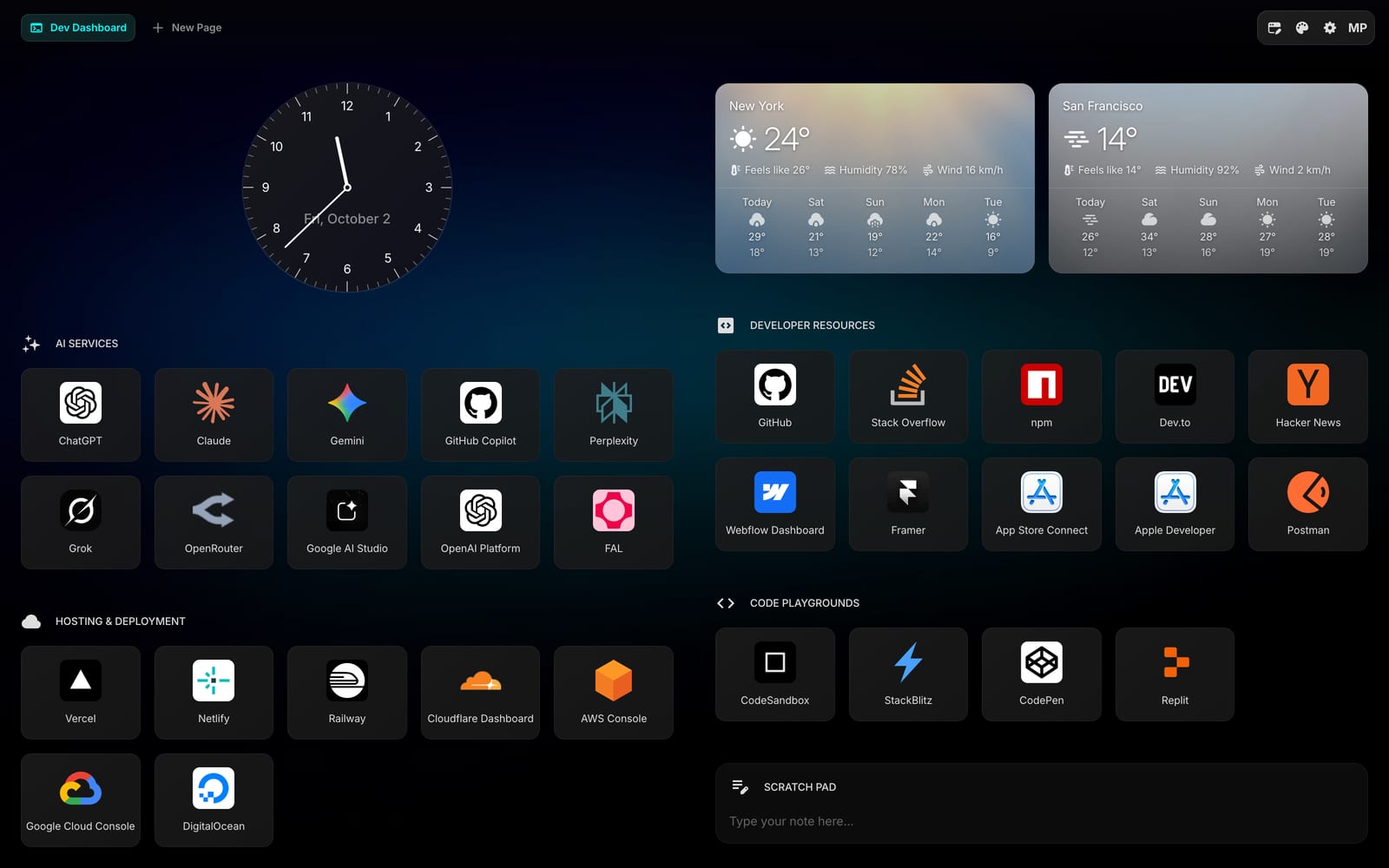
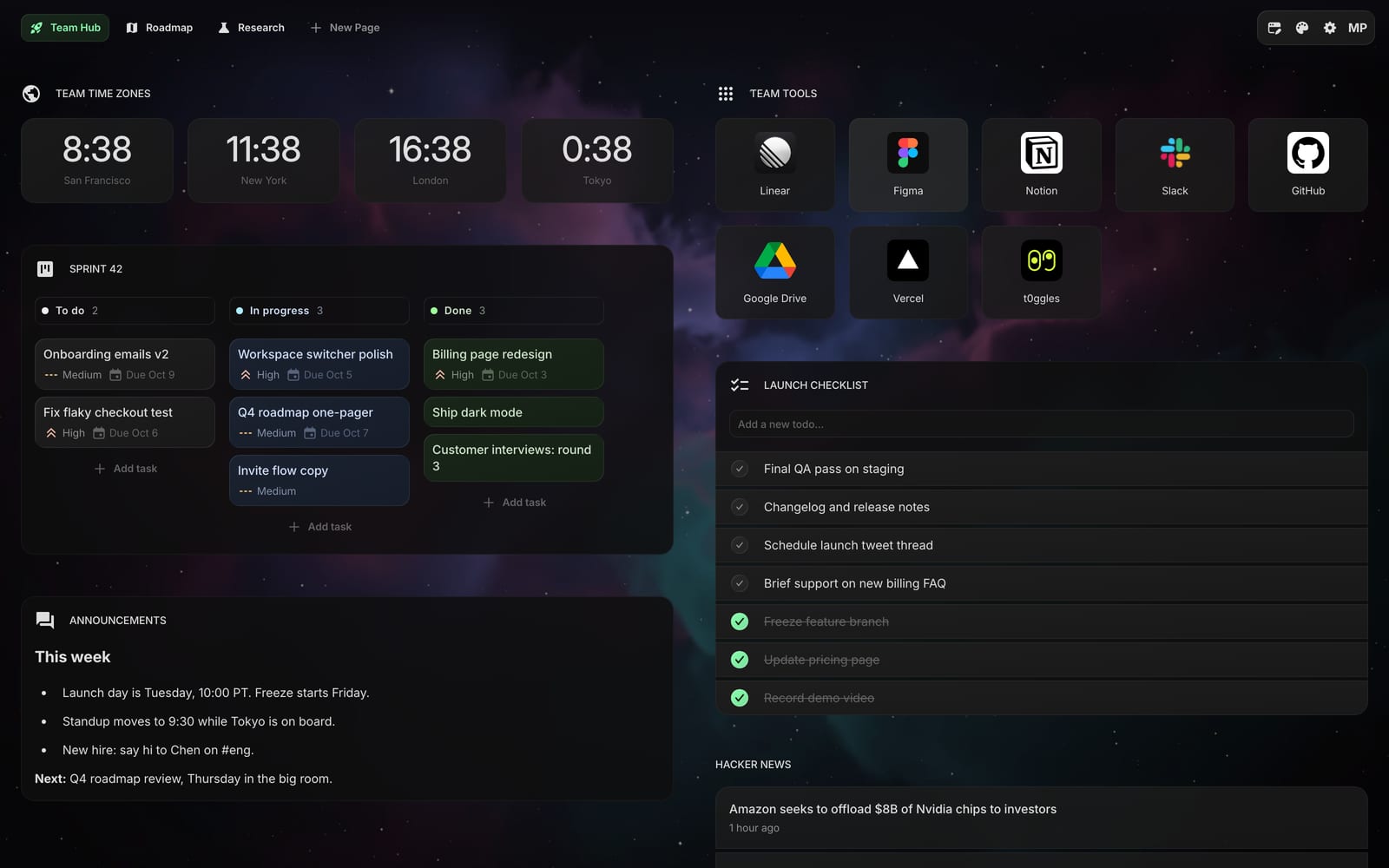
Its own wallpaper and accent color, a content calendar, brand links and an industry feed.
Four roles. No surprises.
Team roles decide who runs the team. Workspace roles decide who can change what is on the dashboard.
Owner
Billing and the team itself
Buys the seats, manages billing, transfers ownership, deletes the team. Edits every workspace.
Admin
Members and workspaces
Invites and removes people, sets roles, creates and renames workspaces. Edits every workspace.
Editor
Full edit in a workspace
Adds and rearranges pages and widgets, uploads files, connects apps, uses AI credits, publishes shares.
Viewer
Read-only in a workspace
Sees everything, changes nothing. Can still tick a todo or start a timer locally — it never saves.
Owners and admins are editors everywhere. Members get editor or viewer access per workspace, or none at all.
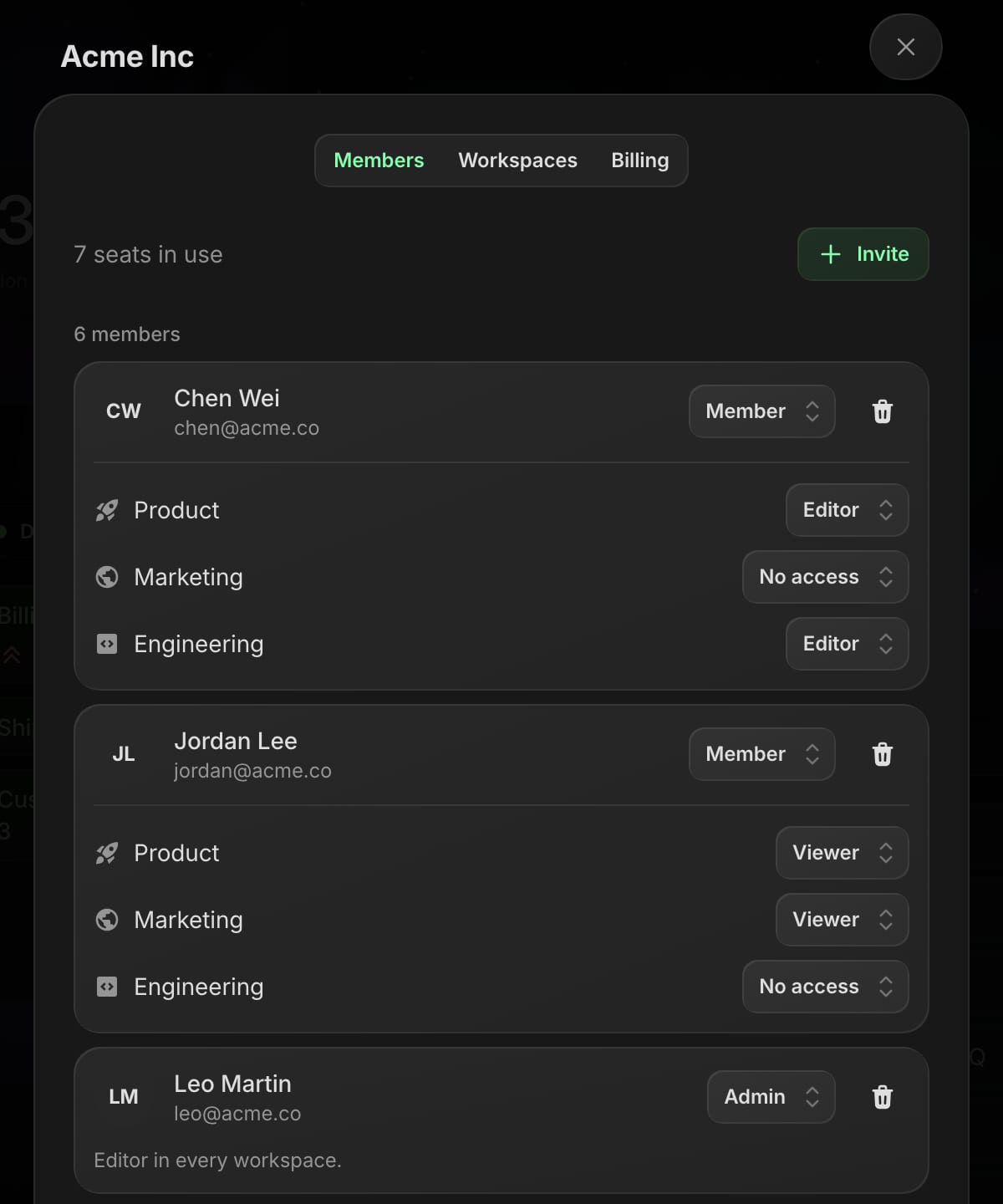
Access per workspace
Make someone an editor in Product, a viewer in Marketing and keep Engineering out of their switcher.
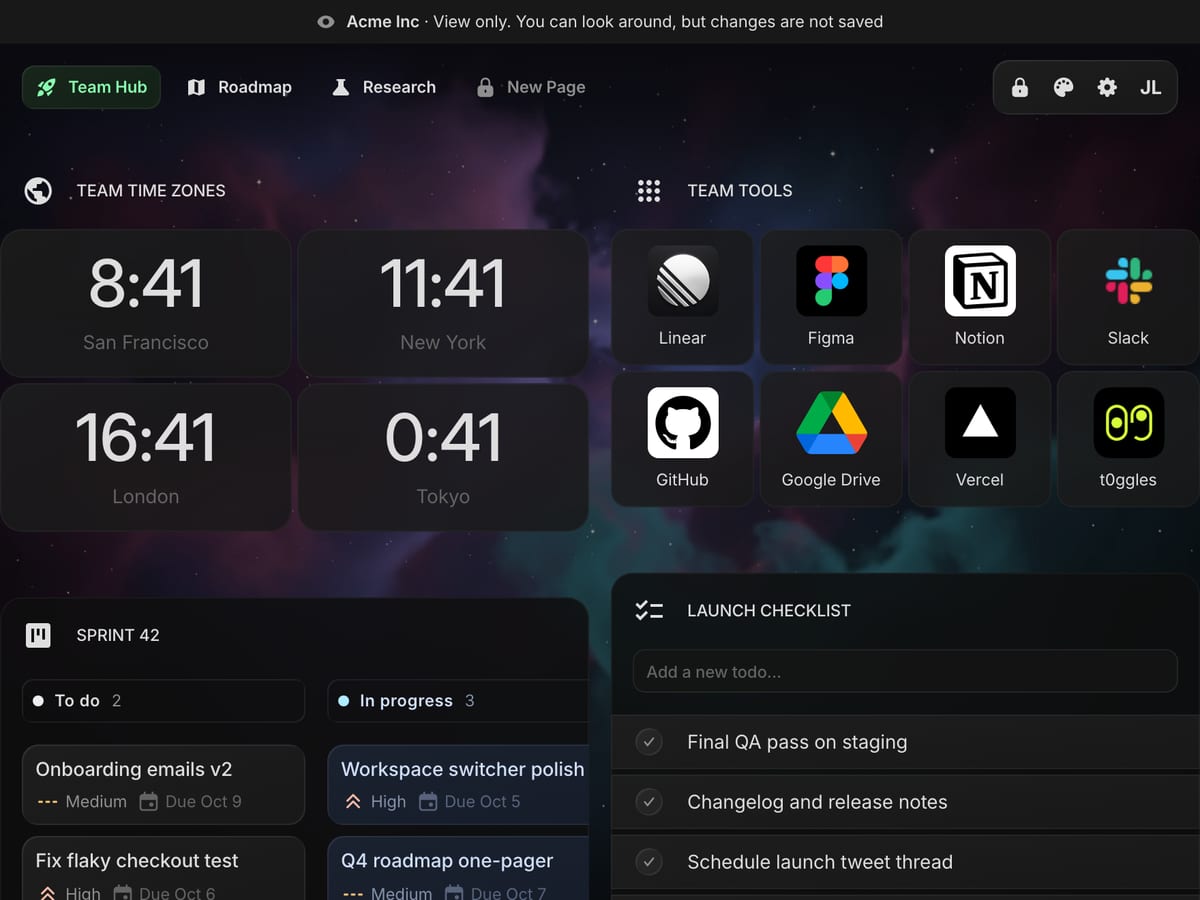
Viewers just open a tab
The whole dashboard, kept current by someone else. Nothing a viewer clicks changes it for the team.
Pay per seat. Nothing else.
Both plans unlock everything for every workspace. The seat count follows your members and invites, minimum 2.
Team Monthly
$8 / month for the first 2 seats
- 500 AI credits per seat, every month
- All 63 widgets in every workspace
- Unlimited workspaces, pages and widgets
- Uploads, app connections, public sharing, custom feeds
- Editor and viewer roles per workspace
- Billed monthly
Team Annual
$80 / year for the first 2 seats
- 5,000 AI credits per seat, every year
- All 63 widgets in every workspace
- Unlimited workspaces, pages and widgets
- Uploads, app connections, public sharing, custom feeds
- Editor and viewer roles per workspace
- Two months free
Prices in USD, tax added at checkout where it applies. Personal plans are separate — a member on the free plan (1 page, 8 widgets) gets everything inside the team's workspaces.
Team questions.
Something we missed? Write to hello@startpagehq.com
Per seat, $4 per seat per month or $40 per seat per year, with a minimum of 2 seats. A seat is a member or a pending invite. You choose how many seats to start with, and invites fill those first; past them the subscription follows the count automatically: an invite adds a seat, removing someone or revoking an invite drops it. There is no lifetime team plan.
No. Inside a workspace everything comes from the team plan, including all 63 widgets, uploads, app connections, public sharing and custom feeds. A member on the free personal plan gets all of it while working in the team's workspaces. Their own dashboard stays on whatever plan they have.
A team is the group of people and the subscription. A workspace is a shared dashboard inside the team, with its own pages, widgets, theme and wallpaper. A team can have as many workspaces as it likes, and each member can be an editor in one and a viewer in another.
Yes. Every team you belong to is listed in the avatar menu with its workspaces, and you switch between them and your personal dashboard with one click. You can own one team at a time.
Not for teams. The free personal plan and the no-account demo let you try every widget before buying, and a team is just those widgets shared. If you are not happy, ask for a refund within 14 days of purchase.
Everyone keeps full access until the end of the paid period. After that every workspace becomes read-only for as long as the team stays inactive: people can open and read it, but not edit. Nothing in a team is ever deleted or trimmed. The owner reactivates from Team settings and everyone is back where they were.
Yes. Switching into a workspace works in the Chrome, Firefox and Safari extensions and in the web app, on every device you are signed in on. A team is bought on the website or in the Chrome and Firefox extensions; the iOS and Mac apps can join and switch but do not sell team plans.
14 days, and only for the email address it was sent to. If the person has no account yet, the invite link signs them up with that address first. An admin can invite the same address again at any time, which sends a fresh link and replaces the old one.
Same tab.
Same page.
Set it up once. Everyone opens a tab and has it.
Pick your seats, check out, name your team — that's it