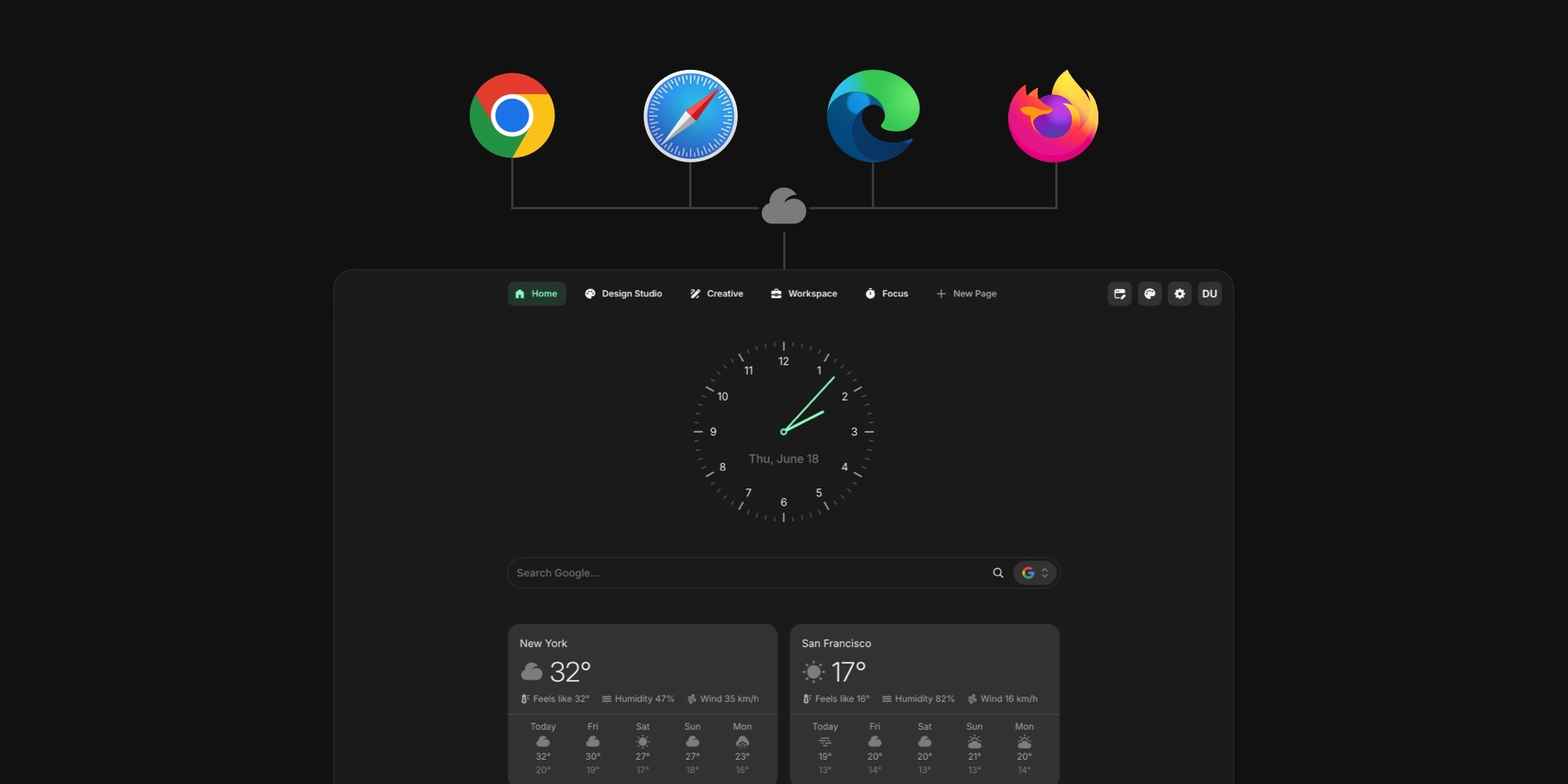
How to Sync Your New Tab Page Across Browsers and Devices
You set up the perfect new tab page on your work laptop - links, tasks, the weather, your calendar - then you open Chrome on your home machine, or Safari on your phone, and it is gone. The new tab is the one screen you see dozens of times a day, and by default it does not follow you anywhere. This guide covers how to sync your new tab page across devices, and how to get the same start page on Chrome and Firefox, Safari, and Edge, so the dashboard you build once shows up everywhere you open a browser.
#Why Your New Tab Page Does Not Sync by Default
Three things stand between you and a new tab page that syncs everywhere, and they are worth understanding before you try to fix it.
- Extensions are scoped to one browser. A Chrome extension cannot run in Safari, and a Firefox add-on cannot run in Edge. Each browser has its own store and its own extension format, so a new tab tool that exists only in the Chrome Web Store is, by definition, Chrome-only.
- Most new tab tools store your setup locally. The minimal, open-source favorites keep every setting in the browser's own storage. That is private and fast, but it means switching browsers or laptops starts you from a blank page. Tabliss, for example, has no cloud sync at all - our Tabliss alternative page covers exactly this gap.
- Even the tools that do sync usually gate it. Momentum keeps cross-device sync behind its paid Plus tier, so the free version stays put on one browser. Our Momentum alternative breakdown shows where that wall sits.
So a new tab page that syncs across browsers is not something you get for free with most tools. You get it from a product designed around an account and cloud storage from the start.
#What Browsers Sync Natively (and Where It Stops)
Each browser will sync some of your new tab settings, but only ever to itself.
- Chrome. Sign in to a Google Account with sync turned on, and your Customize Chrome choices - background, theme, shortcuts - follow you to Chrome on another device. Only to Chrome, though. (Our guide to customizing Chrome's new tab page walks through those native settings.)
- Safari. Turn on Use Start Page on All Devices and Safari syncs your Start Page layout through iCloud - but only across Apple devices running Safari. The Safari Start Page guide covers the full set of options.
- Firefox. A Firefox Account syncs your settings across Firefox installs, and nowhere else.
- Edge. Signing in syncs your profile across Edge on your other machines. (Our guide to cleaning up Edge's new tab page covers the native settings, including turning off the MSN feed.)
The wall is the same in every case: each browser syncs within its own walls. There is no native setting anywhere that gives you the same start page on Chrome and Firefox, because the two browsers do not share an account or an extension. If you use more than one browser - and most people do, across a work machine, a personal laptop, and a phone - native sync leaves you rebuilding the page in each one.
#How to Sync Your New Tab Page Across Devices
The route that actually works across browsers is a new tab extension built around a cloud account instead of local storage. You sign in once in each browser, and your setup lives on the server, loading wherever you sign in.
- Install the new tab extension in your main browser and create an account.
- Build your page: add widgets, arrange the grid, set up your links and notes.
- Install the same extension in any other browser you use and sign in with the same account.
- Open a new tab. The page you built is already there, synced and current.
Because the setup is stored against your account rather than the browser, a change you make in one place shows up in the others. Add a link on your laptop and it is on your phone's new tab the next time you open a tab. That is the difference between a new tab page that syncs and one that simply remembers the last thing you did in this browser.
#How to Get the Same Start Page on Chrome and Firefox
The trick to the same start page on Chrome and Firefox is one product with a real extension in both stores and a shared account behind them. Start Page HQ ships native extensions for Chrome, Firefox, Safari, and Edge, so you install it from each browser's own store and sign in with the same account in all of them.
- Chrome and Edge - add it from the Chrome Web Store. Edge installs Chrome extensions, so the same listing covers both.
- Firefox - add it from Firefox Add-ons.
- Safari - install it from the App Store on your Mac or iPhone, then enable it in Safari's settings.
Sign in once in each, and the new tab page is identical across all four browsers. Chrome and Firefox start from very different native defaults - our Chrome new tab vs Firefox new tab comparison breaks those down - but once a synced extension owns the page, that difference disappears and both browsers show the same dashboard.
#A Dashboard That Syncs Across Browsers
What you get is a dashboard that syncs across browsers and devices, not just a background that happens to carry over. Everything that makes the page yours travels with your account:
- The widgets you placed and where they sit on the grid.
- Multiple pages - a Work page, a News page, a Personal page - all of them, not just the first one.
- Links, notes, and task lists with their current contents.
- Your theme, background, and overall layout.
And when you are on a machine where you cannot install an extension - a locked-down work PC, a borrowed laptop - the same dashboard is available as a hosted web app at startpagehq.com. Sign in and your pages are there in any browser, no install required. The extensions and the web app all read from one account, so they stay in step.
Start Page HQ has a free plan - 1 page, 8 widgets, no credit card - and cross-device sync across all four browsers and the web app is included on it, not held back for paid. Paid lifts the caps at $3.99 a month, $25 a year, or $49 once for lifetime. There is also a free public demo at startpagehq.com/demo so you can try the dashboard before you sign up for anything.
#When Cross-Device Sync Matters Most
A synced new tab page earns its keep the moment your day spans more than one machine:
- You split your time between a work computer and a personal one, and want the same links and tasks on both.
- You use a different browser at work than at home - Edge on the work machine, Chrome or Safari at home.
- You start something on your laptop and finish it on your phone.
- You set up a new machine and want your dashboard back in seconds, instead of an afternoon of rebuilding bookmarks.
If you work across devices for a living, our remote workers setup shows a synced dashboard built for exactly this - one new tab that is the same in the office, at home, and on the road. For the wider field of tools and how each one handles sync, our tested roundup of the best new tab extensions calls out which ones follow you across devices and which keep your setup trapped in a single browser.
#Set It Up Once, Open It Everywhere
Native browser sync stops at the edge of each browser. To get the same new tab dashboard on Chrome, Firefox, Safari, and Edge - and on every device you sign into - you need a new tab tool built around an account, not local storage. Set it up once and it is waiting on the next browser you open.
Sync is included on the free plan, so the fastest way to see how it feels is to start free: 1 page, 8 widgets, every browser and device, no credit card. If you would rather look first, the live demo is pre-loaded with pages and widgets and needs no account.