Introducing Start Page HQ for Teams: One Shared New Tab for Everyone
Every team has a page like this somewhere. A wiki article titled "Useful links" that nobody updates. A pinned Slack message with the staging URL. A shared bookmarks folder that half the team never imported. The links your team opens every day are scattered across a dozen places, and every new hire spends their first week hunting for them.
Starting today, Start Page HQ has Teams. A team shares one dashboard: the same pages, widgets, feeds, and tools, in every member's new tab. Editors keep it current, and everyone else just opens a tab.
#Teams and Workspaces
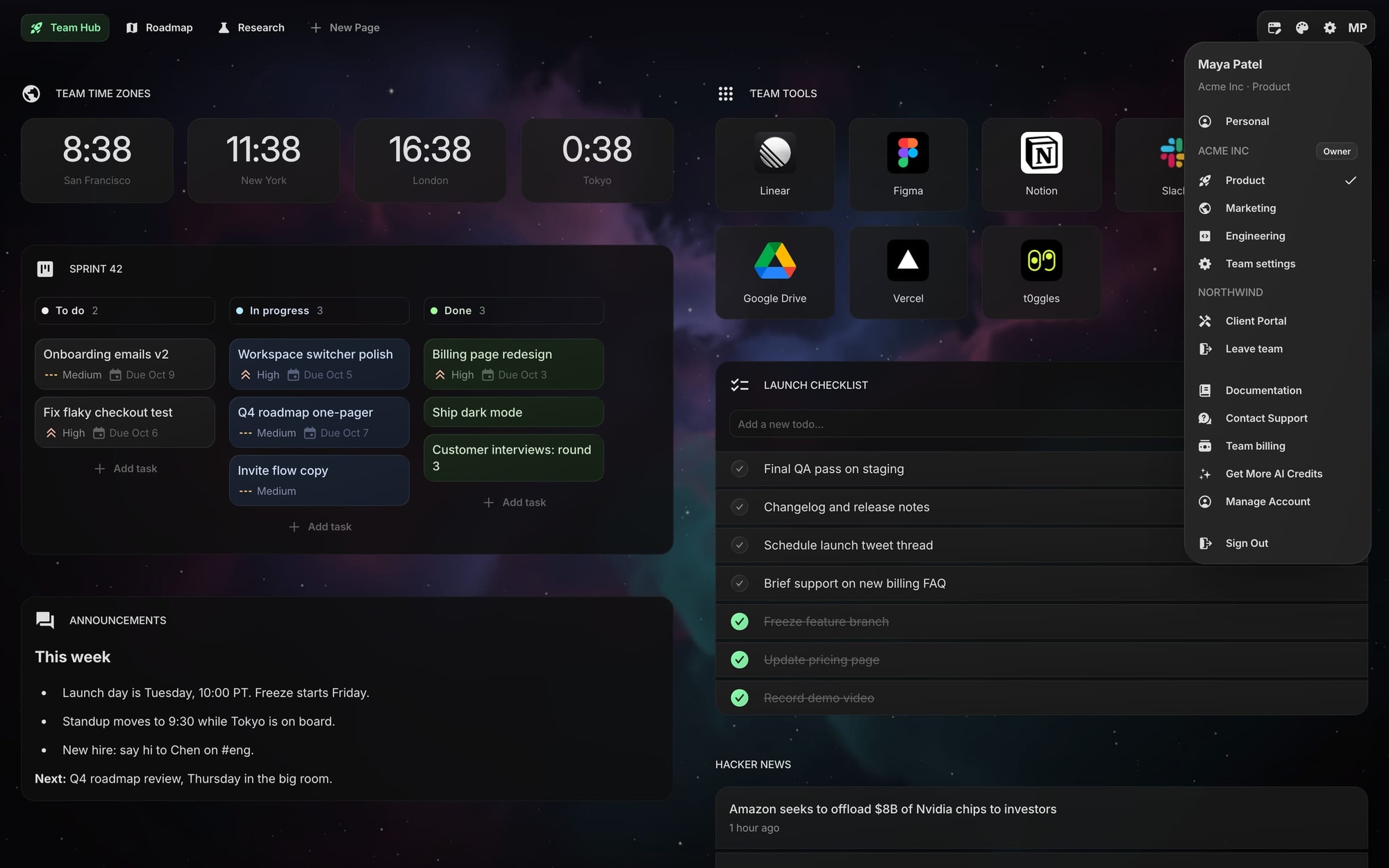
A team is the group of people and the subscription. A workspace is a shared dashboard inside the team. It works exactly like your personal dashboard: its own pages, its own widgets, its own theme and wallpaper. The difference is that everyone with access opens the same one.
A team can have as many workspaces as it needs. One for the whole company, one per department, one per client. When an editor changes a widget in a workspace, the whole team sees the change on their next tab.
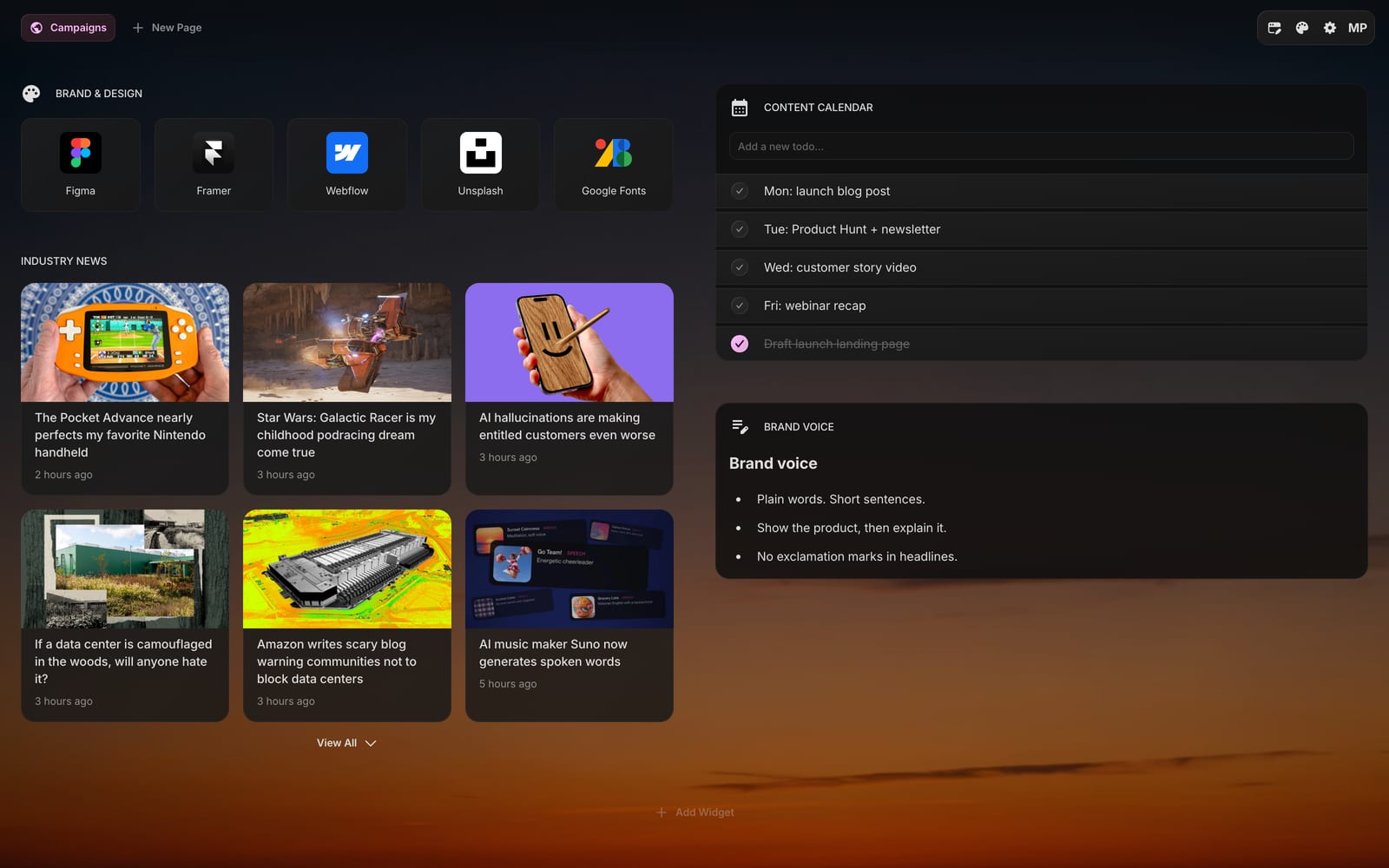
Some ideas for what goes in a workspace:
- Engineering - hosting dashboards, docs, status pages, the on-call schedule, and release feeds for the libraries you depend on.
- Marketing - a content calendar, brand asset links, an industry news feed, and campaign checklists.
- Product - time zone clocks for a distributed team, the sprint board, the launch checklist, and the tools everyone opens daily.
- Company-wide - announcements, holiday calendars, HR links, and the onboarding checklist every new hire works through.
You switch between your personal dashboard and any team workspace from the avatar menu, in one click. The active workspace is remembered, so the next tab you open lands in the same place.
#Editors and Viewers
Not everyone on a team needs to change the dashboard. Most people just want to open it. So every member gets a role in each workspace:
- Editors add, rearrange, and delete pages and widgets, change the theme and wallpaper, upload files, connect apps, and use AI credits.
- Viewers see everything and change nothing. They can still tick a todo or start a timer for themselves, but nothing they click is saved for the team.
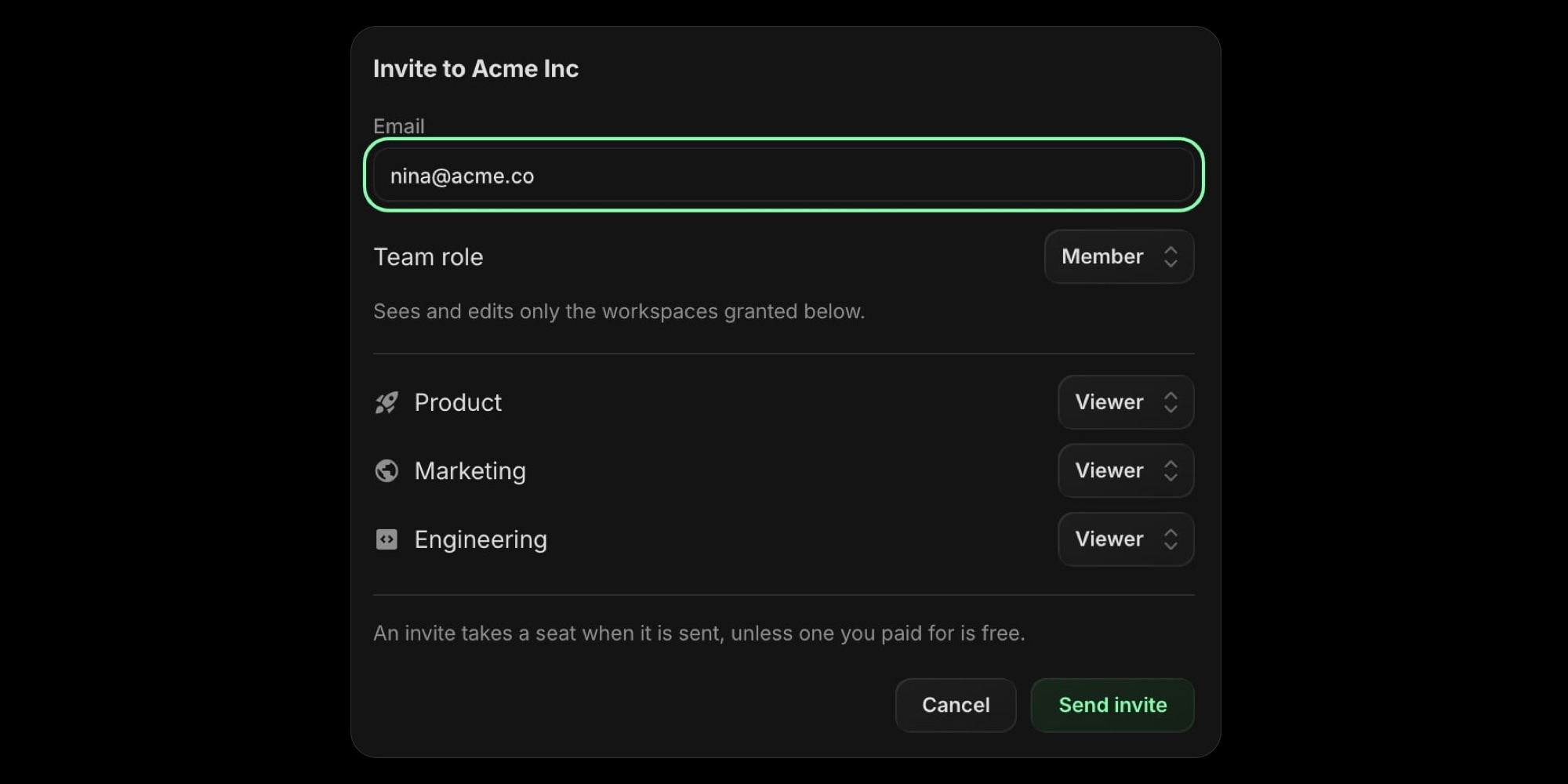
Roles are set per workspace, so the same person can be an editor in Product, a viewer in Marketing, and not see Engineering at all.
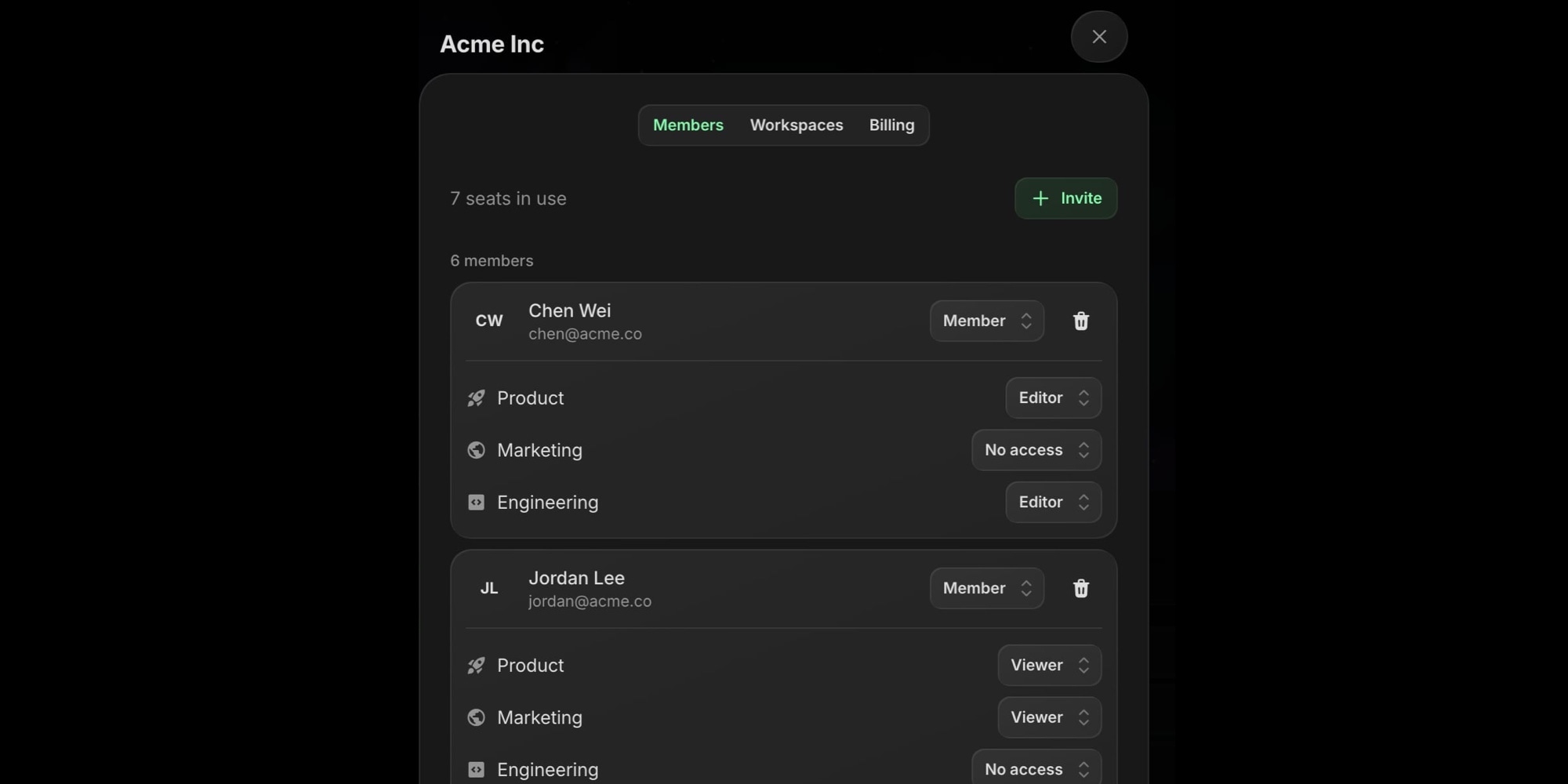
On top of that, each team has an owner, who handles billing, and any number of admins, who invite people and manage workspaces. Owners and admins can edit every workspace.
#Built for Several Editors
A shared dashboard has problems a personal one never runs into. We designed Teams around them:
- No silent overwrites. If two people edit the same widget at the same time, the second save is refused and the widget shows the latest version. Nobody loses a colleague's work without noticing.
- Connections that outlive people. When an editor connects Google Calendar, Stripe, Google Drive, or t0ggles, the connection belongs to the workspace. The company calendar keeps working after that person moves on.
- One AI credit pool. Every seat adds 500 credits a month on the monthly plan or 5,000 a year on the annual plan to a shared pool. AI widgets used inside a workspace draw from it, never from anyone's personal balance.
- Everything is included. Inside a workspace, all 63 widgets, uploads, app connections, public sharing, and custom feeds come from the team plan. A member on the free personal plan gets all of it while working in the team's workspaces.
#Your Personal Dashboard Stays Yours
Joining or creating a team does not touch your own dashboard. Nobody on the team can see your personal pages, your personal plan and AI credits stay exactly as they were, and the team plan never changes what your personal account can do. You can belong to several teams and still have one personal start page that is only yours.
#Pricing
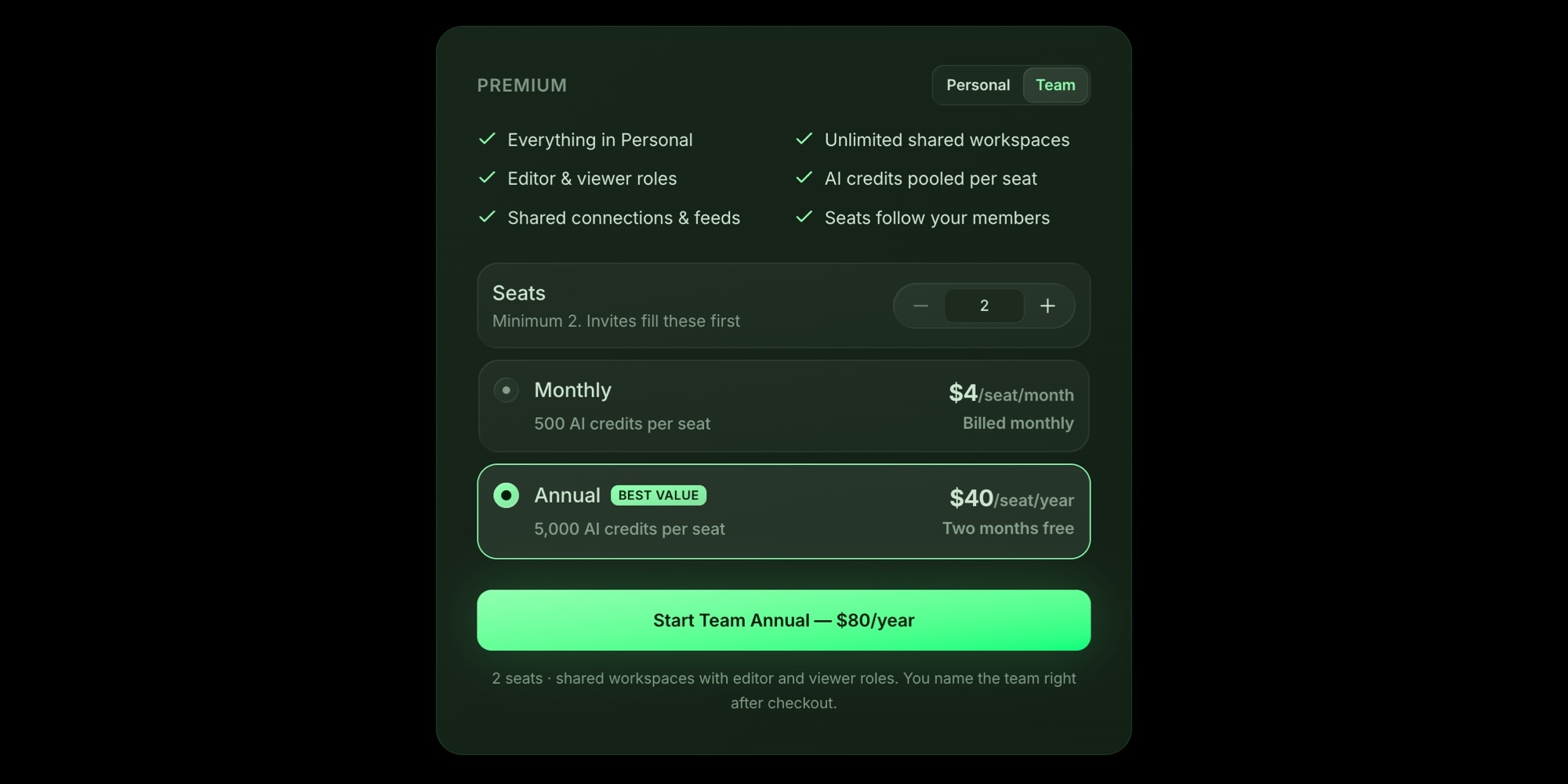
Teams are billed per seat: $4 per seat per month, or $40 per seat per year, with a minimum of 2 seats.
A seat is a member or a pending invite, and the seat count follows your team. Pick how many seats to start with at checkout, and invites fill those first. Invite someone when every seat is taken and a seat is added. Remove someone and the seat comes off from the next invoice. The invite form shows what an extra seat costs before you send it, so there are no surprises on the bill.
There is no lifetime plan for teams, and no trial. You can try every widget for free on the free personal plan or in the no-account demo first, and a team is those same widgets shared. If it is not right for you, ask for a refund within 14 days of purchase.
If a team cancels, everyone keeps full access until the end of the paid period. After that the workspaces become read-only, but nothing in them is ever deleted. Reactivate the team and everyone is back where they left off.
#Works Everywhere You Do
Team workspaces work in the web app and in the Chrome, Firefox, Safari, and Edge extensions, on every device you are signed in on. The iOS and Mac apps can join teams and switch between workspaces. To buy a team, use the website or the Chrome or Firefox extension.
#Getting Started
- Open the pricing section and switch the Premium panel from Personal to Team.
- Choose the number of seats and Monthly or Annual billing, then check out.
- Name your team when you land. Your first workspace is ready.
- Build the dashboard, then invite people from Team settings with an editor or viewer role.
Already a Start Page HQ user? Click your avatar and choose Create a team to do the same thing from inside the app.
Read more on the Teams page, or go straight to the Teams documentation for every detail on roles, billing, and workspaces. If you are new to Start Page HQ, what a start page is is a good place to begin.