

Looking for an UptimeRobot Alternative?
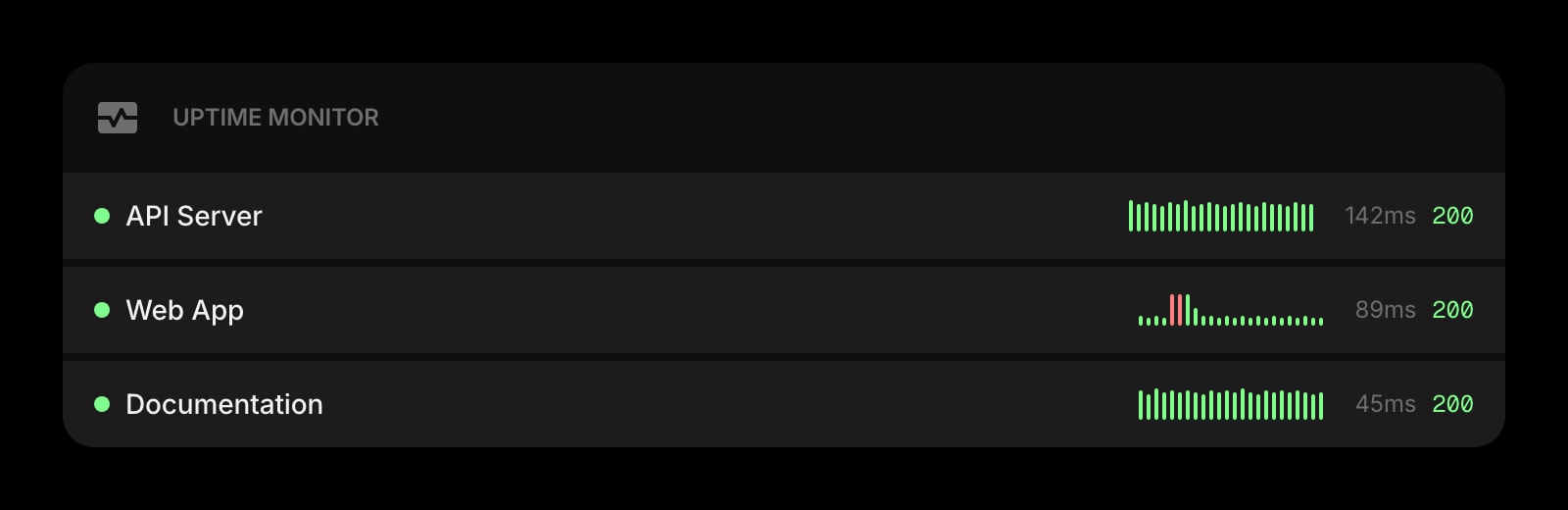
UptimeRobot is the dependable uptime-monitoring service that started the category — minute-level checks, public status pages, multi-channel alerting, and a generous free tier. Start Page HQ is the uptime monitor widget that lives on every new tab — same at-a-glance status, no separate dashboard to open.
What People Love About UptimeRobot
Before we get into where Start Page HQ goes further, credit where it's due.
- A generous free tier covering 50 monitors with 5-minute check intervals — enough for most personal sites and side projects.
- Multi-channel alerting via email, SMS, Slack, Discord, webhooks, and more across paid plans.
- Public status pages you can share with users when something is down.
- Multiple monitor types (HTTP, HTTPS, ping, port, keyword) with response-time graphs.
- A solid mobile app for iOS and Android that pings you when monitors go down.
Where Start Page HQ Goes Further
Specific differences, not vague claims.
Lives on Every New Tab
UptimeRobot is a separate dashboard you have to open. Start Page HQ ships an Uptime Monitor widget that's already there every time you open a new tab — pin the sites you care about and see status at a glance.
Status Alongside Everything Else
UptimeRobot is its own dashboard in its own tab. Start Page HQ's Uptime Monitor sits on the same page as your tasks, calendar, and news — checking status becomes part of your morning instead of a separate ritual.
Sits Alongside 63+ Other Widgets
UptimeRobot is single-purpose monitoring. Start Page HQ pairs the Uptime Monitor with notes, todos, calendar, news, RSS, AI tools, and 63+ more — one dashboard, one tab.
Multi-Page Dashboards
Build a "Production" page with Uptime Monitor, GitHub Releases, and Tasks. Build a separate "Personal" page with weather and todos. One click between them.
Native Browser Extensions
Install on Chrome, Firefox, Safari, or Edge to make Start Page HQ — and the Uptime Monitor — open with every new tab.
Cross-Device Sync Built In
Monitored URLs and dashboard layout sync across every browser and device automatically with any paid plan.
Side-by-Side Comparison
An honest line-by-line look at how the two stack up.
| Feature | UptimeRobot | Start Page HQ |
|---|---|---|
| Pricing | Free, or paid Pro | Free plan; $4/mo, $24/yr, $48 LTD |
| Free tier | Yes (50 monitors, 5-min checks) | 1 page, 8 widgets (no Uptime Monitor) |
| HTTP / HTTPS uptime checks | Yes | Yes |
| Response-time graphs | Yes | Yes |
| Email / SMS / Slack / webhook alerts | Yes | No |
| Public status pages | Yes | No |
| Keyword / port / ping monitoring | Yes | No |
| On-call schedules and escalation | Paid plans | No |
| Native iOS / Android apps with push alerts | Yes | No |
| At-a-glance status on new tab | No | Yes |
| Lives on every new tab | No | Yes |
| Chrome / Firefox / Safari / Edge | Web + apps | Yes |
| Native browser extensions | No | Yes |
| Cross-device sync | Included | Included |
| Multi-page dashboards | No | Yes |
| Other widgets (notes, tasks, RSS, weather) | No | Yes |
| AI tools (answers, translation, image) | No | Yes |
Widgets That Replace UptimeRobot
Drop these onto your dashboard and you've covered UptimeRobot's core features — plus a lot more.
Frequently Asked Questions
Not for serious incident response. UptimeRobot has multi-channel alerting, public status pages, on-call schedules, and a mobile app with push notifications. The Uptime Monitor widget gives you at-a-glance status on your dashboard for the sites you care about — perfect for indie projects, internal tools, and morning checks. For paging an on-call engineer at 3am, keep UptimeRobot or a tool like Better Stack in your stack.
No. The widget shows current status visually on your dashboard. For SMS / email / Slack alerts, keep UptimeRobot or another monitoring service for that job.
No. Status is shown on your private dashboard only. For public status pages users can subscribe to, keep UptimeRobot or a similar service.
There is a free plan — 1 page, up to 8 widgets, 55 of the 63 widget types, cross-device sync, every browser extension, and 50 AI credits granted once — but the Uptime Monitor is not part of it. It is one of the 8 premium widgets, so monitoring needs a paid plan: $4/month, $24/year, or $48 one-time. The demo at startpagehq.com/demo needs no signup and unlocks the Uptime Monitor along with every other widget.
Yes. Start Page HQ has native extensions for Chrome, Firefox, Safari, and Edge, plus a hosted web app at startpagehq.com that works in any modern browser.
Yes — most operators will. UptimeRobot keeps doing the heavy lifting for alerting and status pages; the widget gives you at-a-glance reassurance on your new tab without opening another dashboard.
Ready to Try Start Page HQ?
Start free — 1 page, 8 widgets, sync across devices, no credit card. Or open the live demo first, no signup needed.