

The StackEdit Alternative for Your New Tab
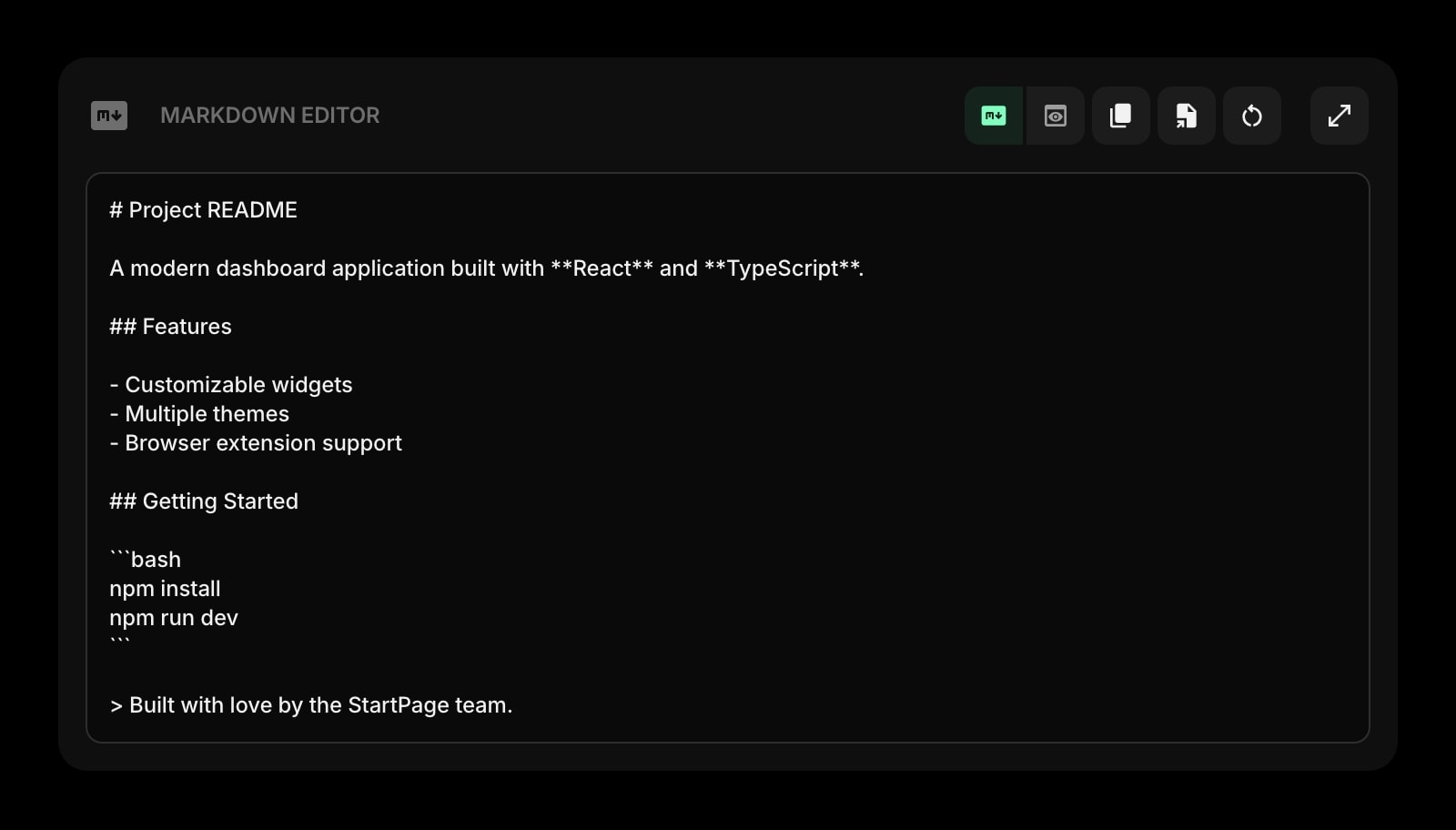
StackEdit is a free in-browser markdown editor with cloud sync. Start Page HQ is the next step — the same live markdown editor, plus 63+ other widgets, on every new tab.
What People Love About StackEdit
Before we get into where Start Page HQ goes further, credit where it's due.
- Free, open-source core that has run in the browser for years.
- Side-by-side markdown editor and live preview that respond to scroll-sync.
- Cloud sync to Google Drive, Dropbox, GitHub, and other backends.
- No install required — works in any modern browser out of the box.
- Mature support for extended markdown (math, diagrams, footnotes).
Where Start Page HQ Goes Further
Specific differences, not vague claims.
Lives on Every New Tab
StackEdit is a website you have to navigate to. Start Page HQ lives on every new tab, so a markdown draft is always one keystroke away with no URL to remember.
63+ Widgets, Not Just Markdown
StackEdit is a single-purpose markdown editor. Start Page HQ ships the markdown editor alongside notes, tasks, RSS, weather, AI tools, dev utilities, and more — all on the same dashboard.
Sync Without Configuring a Backend
StackEdit syncs by linking your Google Drive, Dropbox, or GitHub account. Start Page HQ syncs your markdown drafts and everything else automatically through your account — no third-party storage to set up.
Browser Extensions for Faster Access
Install Start Page HQ as a Chrome, Firefox, Safari, or Edge extension and your markdown editor is one tab open away — not a bookmarked URL you have to navigate to.
Multi-Page Dashboards by Context
Build a Writing page with the markdown editor and reference RSS feeds, a Work page with tasks, and a Personal page with weather. Switch with a click.
AI Built In
AI image generation, translation, instant answers, and AI news summaries ship as widgets. None of these exist in StackEdit.
Side-by-Side Comparison
An honest line-by-line look at how the two stack up.
| Feature | StackEdit | Start Page HQ |
|---|---|---|
| Pricing | Free / paid hosted version | Free plan; $4/mo, $24/yr, $48 LTD |
| Free tier | Yes (open source core) | 1 page, 8 widgets |
| Lives on every new tab | No | Yes |
| Chrome | Yes | Yes |
| Firefox | Yes | Yes |
| Safari | Yes | Yes |
| Edge | Yes | Yes |
| Hosted web app | Yes | Yes |
| Browser extensions | No | Yes |
| Cross-device sync | Via Drive/Dropbox/GitHub | Built-in account |
| Live markdown preview | Yes | Yes |
| Extended markdown (math, diagrams) | Yes | No |
| Multi-page dashboards | No | Yes |
| Notes / quick capture widgets | No | Yes |
| Tasks / todo / Pomodoro | No | Yes |
| RSS / podcasts / Hacker News | No | Yes |
| AI tools | No | Included |
| Developer tools (JSON, regex, diff) | No | Yes |
| Weather / calendars | No | Yes |
Widgets That Replace StackEdit
Drop these onto your dashboard and you've covered StackEdit's core features — plus a lot more.
Frequently Asked Questions
Yes, there is a free plan — signup, no credit card, and the Markdown Editor is included. It covers 1 page with 8 widgets on it, 55 of the 63 widget types, sync across devices, and 50 AI credits once. Extra pages, the 8 premium widgets, and uploads need a paid plan: $4/month, $24/year, or $48 one-time. The demo at startpagehq.com/demo unlocks every widget with no signup at all.
You don't have to pay to start — the free plan includes the Markdown Editor, capped at 1 page and 8 widgets. You pay when you want the whole dashboard: unlimited pages, all 63+ widgets, and the 8 premium ones. If markdown drafting is the only thing you need, StackEdit's free tier is fine.
Yes. Sync is built into your Start Page HQ account at no extra cost. Sign in once and your drafts, notes, and dashboards sync across every browser and device — no third-party storage configuration.
Not at the same depth. If you rely heavily on KaTeX, Mermaid, or footnote-style extended markdown, StackEdit still wins on that one specific job.
There is no automated importer, but markdown is plain text — copy-paste from StackEdit into the Start Page HQ Markdown Editor takes a few seconds per document.
Yes. The hosted web app at startpagehq.com works in any mobile browser, and you can install it as a PWA for an app-like experience.
Ready to Try Start Page HQ?
Start free — 1 page, 8 widgets, sync across devices, no credit card. Or open the live demo first, no signup needed.