

The Obsidian Alternative for Your New Tab
Obsidian is a local-first markdown vault with a deep plugin ecosystem. Start Page HQ is the new-tab companion you've been missing — quick markdown drafts, notes, and dashboards every time you open a browser.
What People Love About Obsidian
Before we get into where Start Page HQ goes further, credit where it's due.
- Truly local-first — your notes stay as plain markdown files on your own disk.
- A deep plugin ecosystem and a power-user community that builds incredible workflows.
- A graph view and bidirectional links that make connected thinking feel native.
- Free for personal use with no artificial caps on note count or vault size.
- Native apps for Mac, Windows, Linux, iOS, and Android.
Where Start Page HQ Goes Further
Specific differences, not vague claims.
Lives on Every New Tab
Obsidian is a desktop or mobile app you have to launch. Start Page HQ lives on every new tab in your browser, so quick capture and review happen without context switching.
63+ Widgets, Not Just a Vault
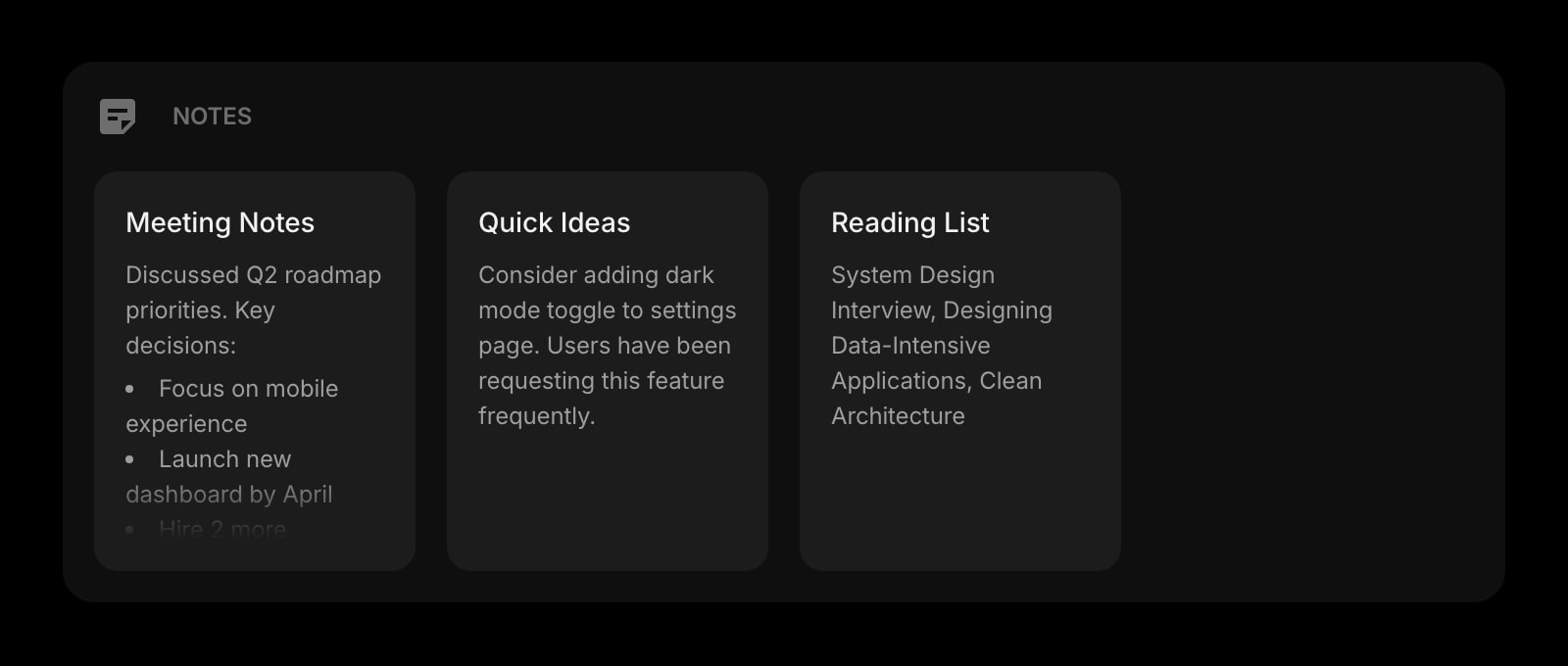
Obsidian is a markdown vault. Start Page HQ ships notes and a markdown editor alongside tasks, RSS, weather, podcasts, AI tools, dev utilities, and more — all included.
No Sync Subscription Required
Obsidian Sync is a separate paid add-on. Start Page HQ includes cross-device sync on every plan — the free one as well as $4/month, $24/year, and $48 lifetime — with no extra subscription.
Hosted Web App on Any Browser
Obsidian requires a native install. Start Page HQ runs at startpagehq.com on locked-down work computers, shared machines, or any browser — no install required.
Multi-Page Dashboards by Context
Build separate pages for Work, Personal, News, and Tools. Switch with a click. Obsidian organizes by vault and folder; Start Page HQ organizes by full new-tab dashboards.
AI Built In
AI image generation, translation, instant answers, and AI news summaries ship as widgets — no plugin install required, no API key juggling.
Side-by-Side Comparison
An honest line-by-line look at how the two stack up.
| Feature | Obsidian | Start Page HQ |
|---|---|---|
| Pricing | Free / Sync $4-8/mo | Free plan; $4/mo, $24/yr, $48 LTD |
| Free tier | Yes (full app) | 1 page, 8 widgets |
| Lives on every new tab | No | Yes |
| Chrome | No | Yes |
| Firefox | No | Yes |
| Safari | No | Yes |
| Edge | No | Yes |
| Hosted web app | No | Yes |
| Native desktop apps | Mac, Windows, Linux | No |
| Cross-device sync | Sync add-on $4-8/mo | Included |
| Local-first markdown files | Yes | No |
| Graph view of linked notes | Yes | No |
| Plugin ecosystem | Yes | No |
| Markdown editor widget | Native | Yes |
| Multi-page dashboards | No | Yes |
| Kanban tasks widget | Plugin required | Built in |
| RSS / podcasts / Hacker News | Plugin required | Built in |
| AI tools | Plugins / API keys | Included |
| Developer tools (JSON, regex, diff) | No | Yes |
Widgets That Replace Obsidian
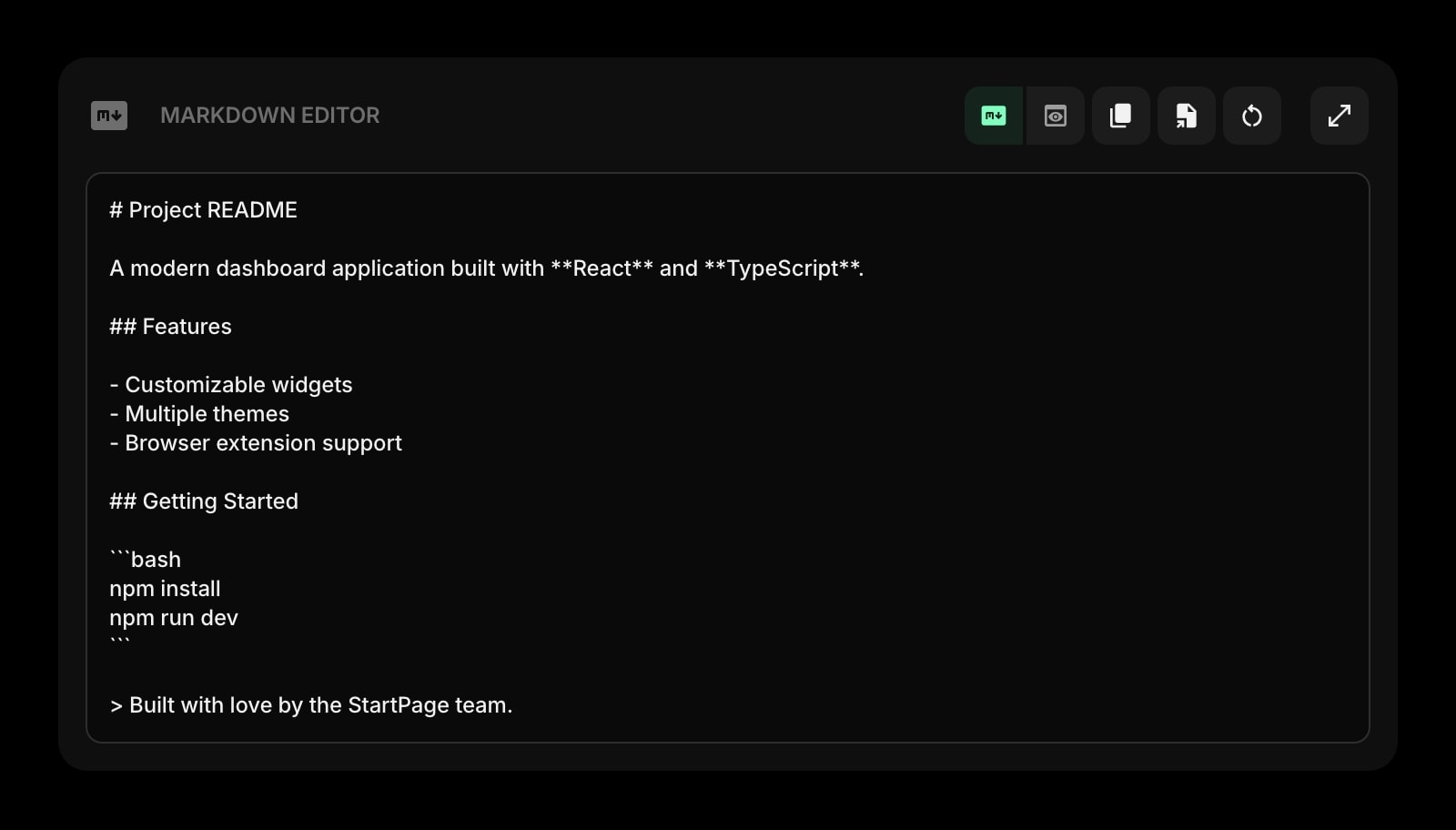
Drop these onto your dashboard and you've covered Obsidian's core features — plus a lot more.
Frequently Asked Questions
Not for your full vault. Obsidian is a local-first knowledge graph and Start Page HQ does not try to compete with the graph view, plugin ecosystem, or vault-scale linking. Think of Start Page HQ as the new-tab companion to Obsidian — quick capture, daily dashboards, and 63+ other widgets, while Obsidian stays your long-term knowledge base.
Yes — there is a free plan, no credit card needed. It covers 1 page with up to 8 widgets on it, 55 of the 63 widget types (Notes and the Markdown Editor included), cross-device sync, and 50 AI credits to start. Extra pages, the 8 premium widgets and file uploads need a paid plan: $4/month, $24/year, or $48 one-time. There is also a public demo at startpagehq.com/demo with every widget unlocked and no signup.
No. Start Page HQ stores notes in the cloud so they sync across devices. If local-first markdown is non-negotiable for you, keep Obsidian for your vault and use Start Page HQ for the new-tab dashboard.
Yes. Cross-device sync is included on every plan, from the free one up through $4/month, $24/year, and $48 lifetime. No Sync add-on, no per-device cost.
Yes. The Markdown Editor widget gives you a live preview pane for drafting markdown, and the QuickNote widget supports markdown formatting too.
Yes. Use the hosted web app at startpagehq.com directly in any browser — no install required. Or install the extension for Chrome, Firefox, Safari, or Edge if your IT policy allows browser extensions.
Ready to Try Start Page HQ?
Start free — 1 page, 8 widgets, sync across devices, no credit card. Or open the live demo first, no signup needed.