
Looking for a Google Translate Alternative?
Google Translate is a free, ubiquitous translator with 100+ languages. Start Page HQ adds a Translation widget directly to your new tab — same free spirit for daily phrases, no separate translate.google.com tab to open.
What People Love About Google Translate
Before we get into where Start Page HQ goes further, credit where it's due.
- Genuinely free, with translations across 130+ languages and dialects.
- Camera, voice, conversation, and offline modes on iOS and Android.
- A web app at translate.google.com plus a Chrome extension for in-page translation.
- Document translation, websites, and handwriting input all included free.
- Polished mobile experience built up over 15+ years.
Where Start Page HQ Goes Further
Specific differences, not vague claims.
Translation on Your New Tab, Not a Separate URL
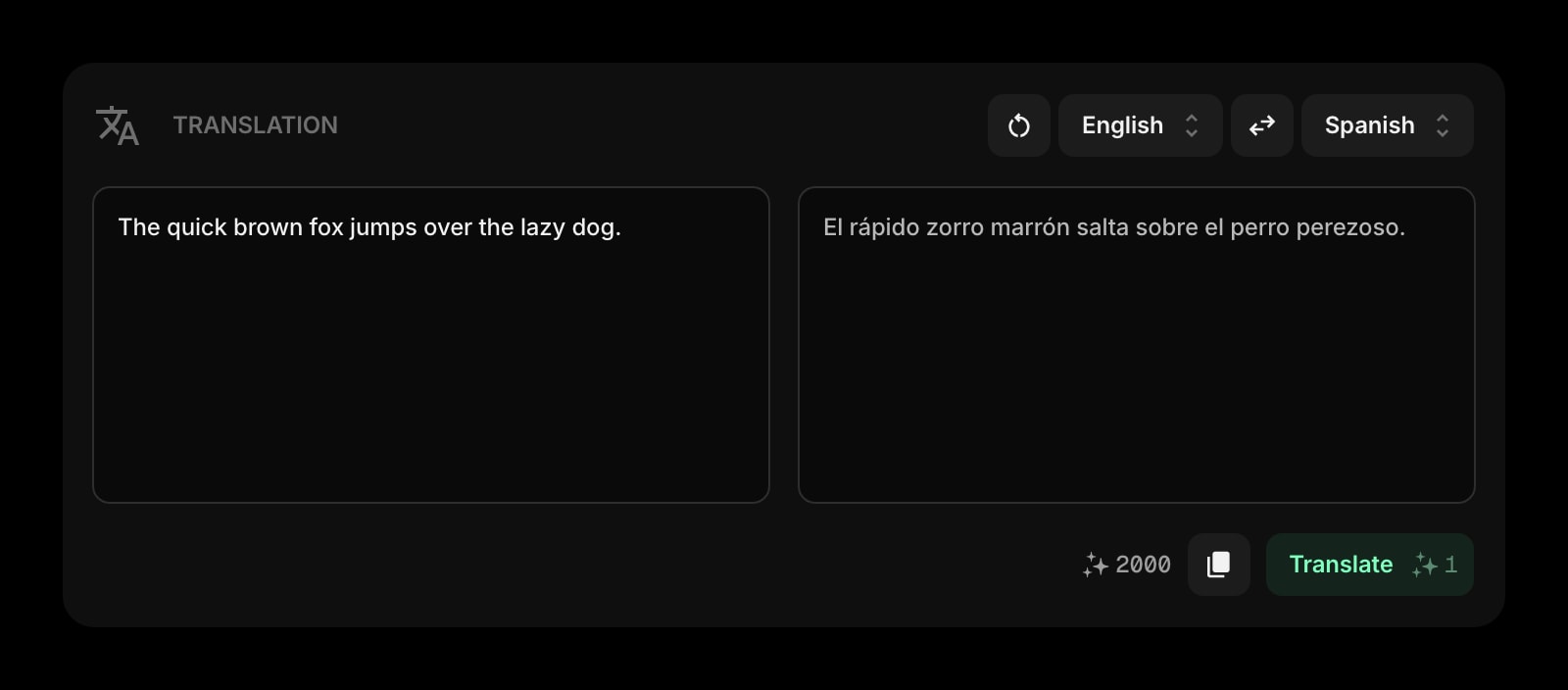
Google Translate is a destination you open. Start Page HQ puts the Translation widget on your start page — paste, translate, copy, and you stay in your dashboard the whole time.
63+ Widgets, Not Just Translation
Google Translate is one tool. Start Page HQ ships translation alongside RSS, news, weather, podcasts, dev tools, and 63+ other widgets — all on the same dashboard.
Quality AI Translation Tuned for Short Text
The Translation widget uses high-quality AI models tuned for the snippets you actually paste daily — emails, messages, captions. No engine swap to argue about; just paste and translate.
Not Locked to a Google Account
No sign-in required to use Google Translate, but everything you translate at translate.google.com gets logged to your Google profile. Start Page HQ does its translations through your private dashboard account.
Predictable, Bundled Pricing
Google Translate is free, ad-supported on the web. Start Page HQ has a free plan too — 1 page, 8 widgets, Translation among them — and $4 per month, $24 per year, or $48 lifetime bundles translation with 63+ other widgets, sync, and a credit pool that refills. You are paying for the dashboard, not the translator.
Side-by-Side Comparison
An honest line-by-line look at how the two stack up.
| Feature | Google Translate | Start Page HQ |
|---|---|---|
| Pricing | Free | Free plan; $4/mo, $24/yr, $48 LTD |
| Free tier | Yes (full app) | 1 page, 8 widgets |
| Lives on every new tab | No | Yes |
| Chrome | Extension + web | Yes |
| Firefox | Web only | Yes |
| Safari | Web only | Yes |
| Edge | Web only | Yes |
| Hosted web app | Yes | Yes |
| Native mobile apps | iOS, Android | No |
| Camera translation | Yes | No |
| Voice / conversation mode | Yes | No |
| Offline language packs | Yes | No |
| Document translation | Yes | No |
| Number of languages | 130+ | 30+ |
| Translation widget on dashboard | No | Yes |
| Multi-page dashboards | No | Yes |
| RSS / podcasts / news / dev tools | No | Yes |
| Quick answer / image gen widgets | No | Yes |
| Cross-device sync | Via Google account | Included |
Widgets That Replace Google Translate
Drop these onto your dashboard and you've covered Google Translate's core features — plus a lot more.
Frequently Asked Questions
For 130+ languages, camera translation, conversation mode, and offline use, Google Translate is still the right tool. The Translation widget is for everyday paste-and-translate — emails, messages, short snippets — without leaving your new tab. Most users keep both: Google Translate for travel and edge cases, Start Page HQ for daily desk work.
The Translation widget covers 30+ languages, focused on the ones people use most often. Google Translate supports 130+; if you need a long tail of dialects or smaller languages, use Google Translate.
You may not have to — the free plan includes the Translation widget, along with 1 page, 8 widgets on it, and 50 one-time AI credits. Paying is for the rest of the dashboard: extra pages, the 8 premium widgets, uploads, and a credit pool that refills. Either way you are not paying for translation alone — it is one of 63+ widgets sitting next to RSS, weather, AI, dev tools, finance, and calendars.
Yes — there is a free plan, and signing up takes no credit card. It gives you 1 page with up to 8 widgets on it, 55 of the 63 widget types (Translation included), cross-device sync, every browser extension, and 50 AI credits that do not refill. Extra pages, the 8 premium widgets, and uploads need a paid plan: $4/month, $24/year, or $48 one-time. The public demo at startpagehq.com/demo still needs no signup at all and unlocks every widget.
The free plan comes with 50 AI credits once, and they do not refill. Monthly includes 500 credits a month, Annual 5,000 per year (roughly 5,000 translations), and Lifetime 10,000 credits up front. For very heavy translation workloads, top-up credit packs are available on any plan — or stick with Google Translate.
Yes. Sync is included on every plan, the free one included. Sign in once and your pages, widgets, and translation history sync across every browser and device automatically.
Ready to Try Start Page HQ?
Start free — 1 page, 8 widgets, sync across devices, no credit card. Or open the live demo first, no signup needed.