

Reeder vs Feedly: Which Should You Pick?
One is a beautiful native Apple app, the other is a cross-platform service — and they are not even mutually exclusive. Here is how Reeder and Feedly actually differ on platforms, pricing, sync, and what each one is genuinely for.
Pick Reeder if you live entirely on Apple devices and want the nicest native reading app on iPhone, iPad, and Mac — the new Reeder costs just $1/month (or $10/year) and folds RSS, YouTube, podcasts, Mastodon, and Bluesky into one timeline, while Reeder Classic is a one-time purchase. Pick Feedly if you need Windows, Android, Linux, or any browser, want Leo AI shaping your queue, or share reading with a team. And know that "vs" is partly a false choice: Reeder Classic is a client that can sync against a Feedly account, so many people use both — Feedly as the service, Reeder as the app they read in.
At a Glance
A line-by-line look at how Reeder and Feedly stack up.
| Feature | Reeder | Feedly |
|---|---|---|
| What it is | Native client apps | Hosted service + apps |
| Platforms | iPhone, iPad, Mac | Web, iOS, Android |
| Works in any browser | No | Yes |
| Windows / Android / Linux | No | Yes |
| Free tier | New Reeder: 10 feeds | 100 feeds, 3 boards |
| Paid pricing | $1/mo or $10/yr (new); $4.99–$9.99 one-time (Classic) | ~$6/mo Pro, ~$8.25/mo Pro+ (annual) |
| Sync model | iCloud (Classic: iCloud or third-party services) | Feedly account |
| Can sync with a Feedly account | Reeder Classic only | — |
| YouTube and podcasts built in | New Reeder | No |
| Mastodon / Bluesky timelines | Reeder+ subscription | No |
| AI features | No | Leo AI (Pro+) |
| Rules / mute filters | Keyword filters | Mute filters (paid) |
| Slack / Teams / IFTTT / Zapier integrations | No | Yes |
| Newsletter inbox | No | Pro+ tier |
| Team features | No | Pro+ / Enterprise |
| Offline reading on mobile | Yes | Yes |
| OPML import | Yes | Yes |
| Quick capture from new tab | No | No |
Feature by Feature
How each product handles the things that actually matter day to day.
Client or Service: The Real Difference
This comparison is unusual because the two products sit at different layers. Feedly is a service: your subscriptions, read states, and boards live on Feedly servers, and you read them through the feedly.com web app or the official mobile apps. Reeder is a client: a native app installed on your Apple devices. Reeder Classic does not even need its own backend — it can sync against Feedly, Inoreader, Feedbin, NewsBlur, FreshRSS, BazQux Reader, The Old Reader, FeedHQ, or plain iCloud. That means the honest answer to "Reeder vs Feedly" is sometimes "both": Feedly holds the subscriptions, Reeder Classic is the app you actually read them in. The new Reeder changed this — it is a self-contained app that syncs through iCloud only, so it competes with Feedly directly rather than sitting on top of it.
Two Reeders: New Reeder vs Reeder Classic
Since late 2024, developer Silvio Rizzi ships two separate apps. The new Reeder (reeder.app) is a rebuilt, timeline-style app: one chronological stream that mixes RSS, YouTube channels, podcasts (with a built-in player), Reddit, Mastodon, Bluesky, and Pixelfed, with your timeline position synced across devices through iCloud instead of unread counts. It is free for up to 10 feeds, with the Reeder+ subscription ($1/month or $10/year, covering iPhone, iPad, and Mac) unlocking unlimited feeds, shared feeds, and social home timelines. Reeder Classic is the traditional three-pane RSS reader (formerly Reeder 5), sold as a one-time purchase — $4.99 on iOS/iPadOS and $9.99 on macOS — and it is the one that syncs with third-party services like Feedly. If you came to this page thinking of "Reeder", make sure you know which of the two you mean.
Platforms and Browser Support
Reeder is Apple-only, full stop. The new Reeder requires iOS 17, iPadOS 17, or macOS 14 and newer; Reeder Classic runs on iPhone, iPad, and Mac. There is no Windows version, no Android version, and no web app — if you read on a work PC or an Android phone, Reeder cannot follow you there. Feedly is the opposite: the web app runs in any browser on any OS, there are official iOS and Android apps, and browser extensions for Chrome and Firefox (Edge via the Chromium store; no native Safari extension, though feedly.com works fine in Safari). If your devices are mixed, Feedly wins this section by default. If you are all-in on Apple, Reeder feels more at home than Feedly’s apps do.
Reading Experience
Reeder has been the benchmark for reading polish on Apple platforms for over a decade — typography, gestures, scrolling physics, and dark mode all feel native because they are. Reeder Classic adds Bionic Reading, a clutter-free reader view, and mark-as-read-on-scroll; the new Reeder replaces unread-count anxiety with a calm, pick-up-where-you-left-off timeline. Feedly’s reading experience is the most polished among web-based readers, with clean typography, Boards for saving articles, and famously fast mobile apps — but it is a web-era interface, not a native one. On an iPhone or a Mac, most people find Reeder the nicer place to actually read. In a browser on any other machine, Feedly is the only one of the two that exists at all.
Beyond RSS: YouTube, Podcasts, and Social
The new Reeder is built around the idea that following things should not stop at RSS. It natively subscribes to YouTube channels, plays podcasts with a built-in audio player, and (with Reeder+) pulls in your Mastodon, Bluesky, and Micro.blog home timelines — all in one chronological stream. Feedly stays closer to its RSS roots: you can follow YouTube channels and newsletters as feeds, and the Pro+ tier adds a newsletter inbox and additional source types, but there is no podcast player and no fediverse timeline support. If "everything I follow in one timeline" is the goal, the new Reeder is the stronger design. If "professional content monitoring" is the goal, Feedly’s source ecosystem and integrations go deeper.
AI, Automation, and Team Features
This is where Feedly pulls clearly ahead. Leo, Feedly’s AI assistant, reads your feeds and prioritizes must-reads, deduplicates near-identical stories, and mutes topics you do not care about; paid tiers add search, notes, highlights, mute filters, and integrations with Slack, Microsoft Teams, IFTTT, and Zapier. Feedly also sells team boards and full Threat Intelligence and Market Intelligence products for security and research teams. Reeder has none of this — by design. You get keyword filters and tags in a personal, private app that collects no data, and that is the whole story. Solo readers often prefer Reeder’s simplicity; anyone monitoring topics professionally will miss Feedly’s machinery within a week.
Pricing
Reeder is dramatically cheaper, whichever Reeder you pick. The new Reeder is free for up to 10 feeds with nearly all features included. Reeder+ costs $1/month or $10/year, covers iPhone, iPad, and Mac on one subscription, and unlocks unlimited feeds, shared feeds, and Mastodon/Bluesky/Micro.blog home timelines. Reeder Classic is a one-time purchase: $4.99 on the iOS App Store (iPhone and iPad) and $9.99 on the Mac App Store — no subscription at all, though if you sync it against Feedly or another paid service, that service has its own price. Feedly Free covers up to 100 feeds and 3 boards, with no AI, no search, and no integrations. Feedly Pro runs about $6/month billed annually ($72/year) and adds search, notes, highlights, mute filters, and the Slack/Teams/IFTTT/Zapier integrations. Feedly Pro+ runs about $8.25/month billed annually ($99/year) and adds Leo AI, the newsletter inbox, more source types, and team boards. Feedly also sells custom-priced Threat Intelligence and Market Intelligence plans for enterprises. Net: a full year of Reeder+ costs less than two months of Feedly Pro. You are not paying Feedly for the reading app, though — you are paying for the hosted service, the AI, and the integrations. If you do not need those, Reeder’s pricing is hard to argue with.
Which One Should You Pick?
Specific use cases, not vague verdicts.
Choose Reeder If
Native Apple reading apps — the new timeline-style Reeder and the classic RSS client.
- You are all-in on Apple — iPhone, iPad, Mac — and want the most polished native reading app on each of them.
- You want YouTube channels, podcasts, Mastodon, and Bluesky in the same chronological timeline as your RSS.
- You want to pay $10/year (or once, ever, for Reeder Classic) instead of a recurring $72+/year.
- You value privacy and calm: a local-feeling app with iCloud sync, keyword filters, and no engagement machinery.
- You already pay for Feedly, Inoreader, or Feedbin and just want a nicer app to read in — Reeder Classic syncs with all of them.
Choose Feedly If
Cross-platform RSS service with Leo AI for filtering noise and prioritizing must-reads.
- You use Windows, Android, Linux, or a locked-down work machine — Feedly runs in any browser, Reeder does not.
- You want Leo AI actively filtering noise, deduplicating stories, and prioritizing must-reads in high-volume feeds.
- You share reading with a team via boards, Slack, or Teams, or you are evaluating Threat or Market Intelligence.
- You want one hosted account that any client app — including Reeder Classic — can sync against.
- You follow newsletters heavily and want them in an inbox next to your feeds (Pro+ tier).
Start Page HQ
Both tools assume reading happens in a destination you go to: Reeder is an app on Apple devices only, and Feedly is a tab you have to remember to open. But the place you actually find yourself fifty times a day is a brand-new browser tab — on whatever machine you happen to be using.
Start Page HQ is a customizable start page with 63+ widgets that turns every new tab into your dashboard — in Chrome, Safari, Firefox, or Edge, on macOS, Windows, or Linux, with a hosted web app for everywhere else. The Feed widget puts your RSS subscriptions right where new tabs open, and dedicated Substack, YouTube Channel, and Podcast widgets cover the same sources the new Reeder folds into its timeline — except here they sit next to your todos, calendar, and links instead of inside a separate reader. It is not trying to replace deep, all-day reading in Reeder or Feedly; it covers the ambient checking in between, on every platform Reeder skips. There is a free plan to start on, and a free public demo at startpagehq.com/demo if you want to see the fit before signing up at all. If you read with a team, Teams lets everyone open the same workspace of feeds and links, at $4 per seat per month (or $40 per seat per year, minimum 2 seats).
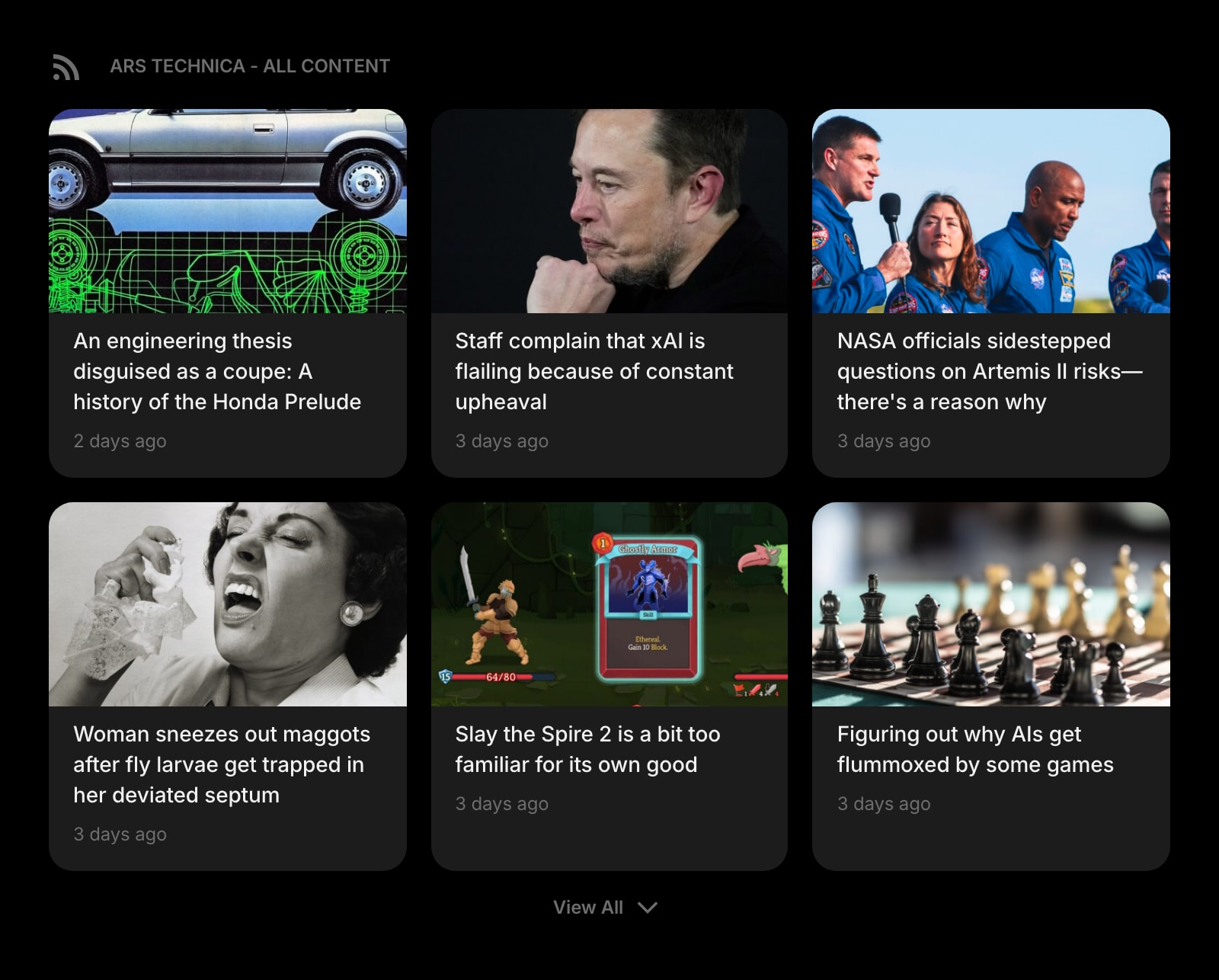
RSS Feed
Follow RSS and Atom feeds from any site, right on your start page — in any browser on any OS, not just on Apple devices.
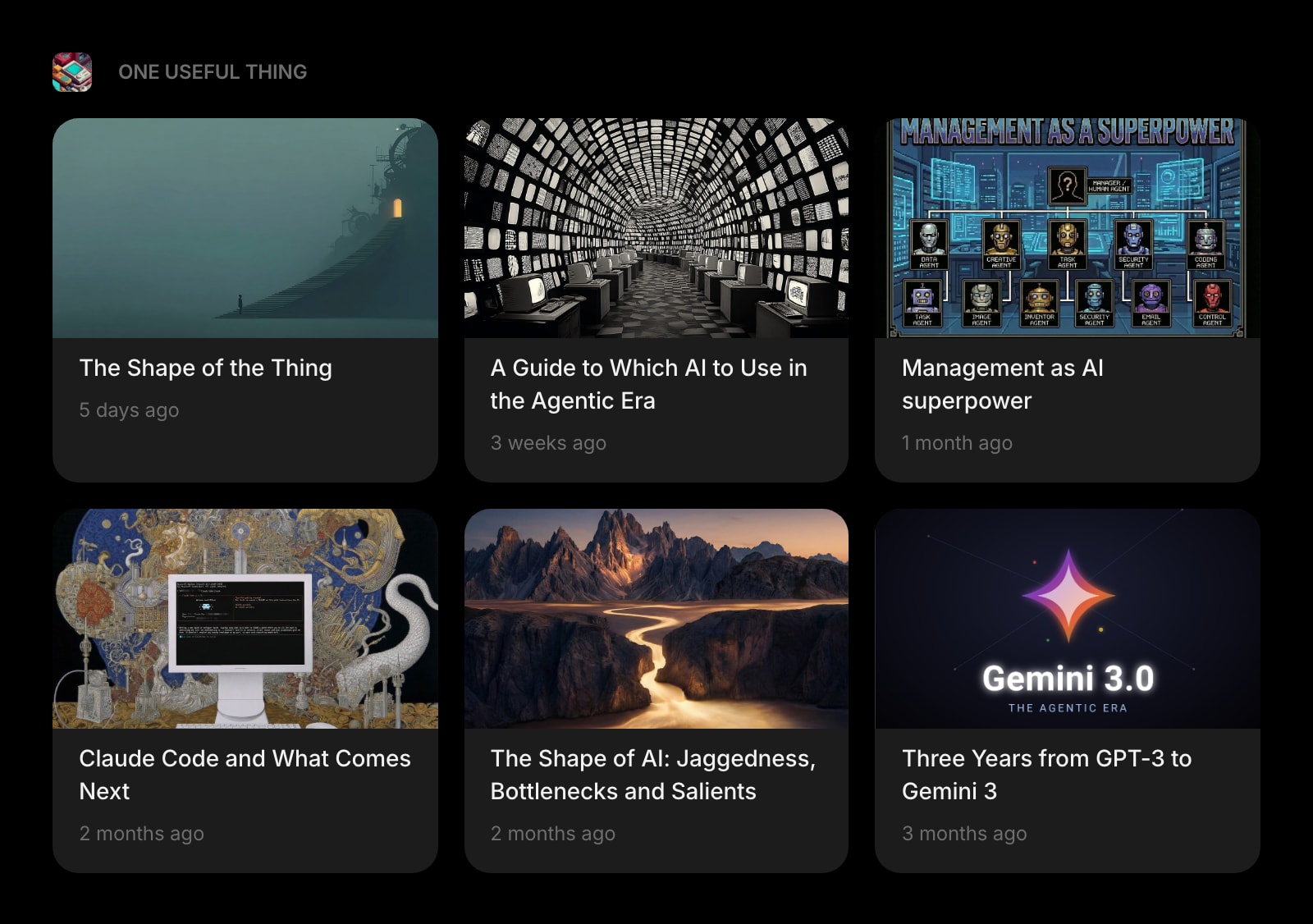
Substack
A dedicated widget for Substack newsletters — track your favorite writers without paying for a Pro+ newsletter inbox.
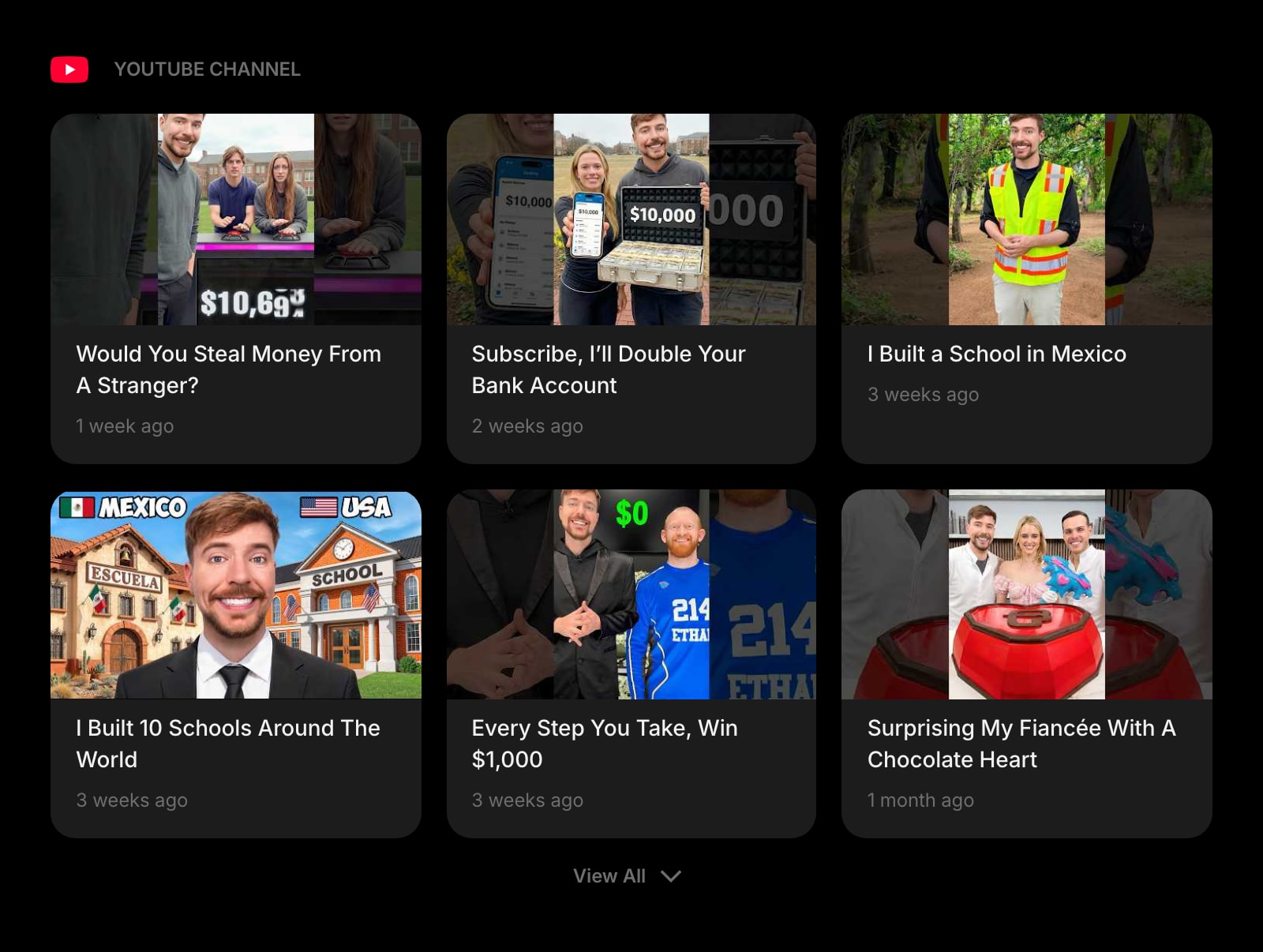
YouTube Channel
Latest videos from channels you follow, on the same page as your feeds — one of the new Reeder’s headline sources, available cross-platform.
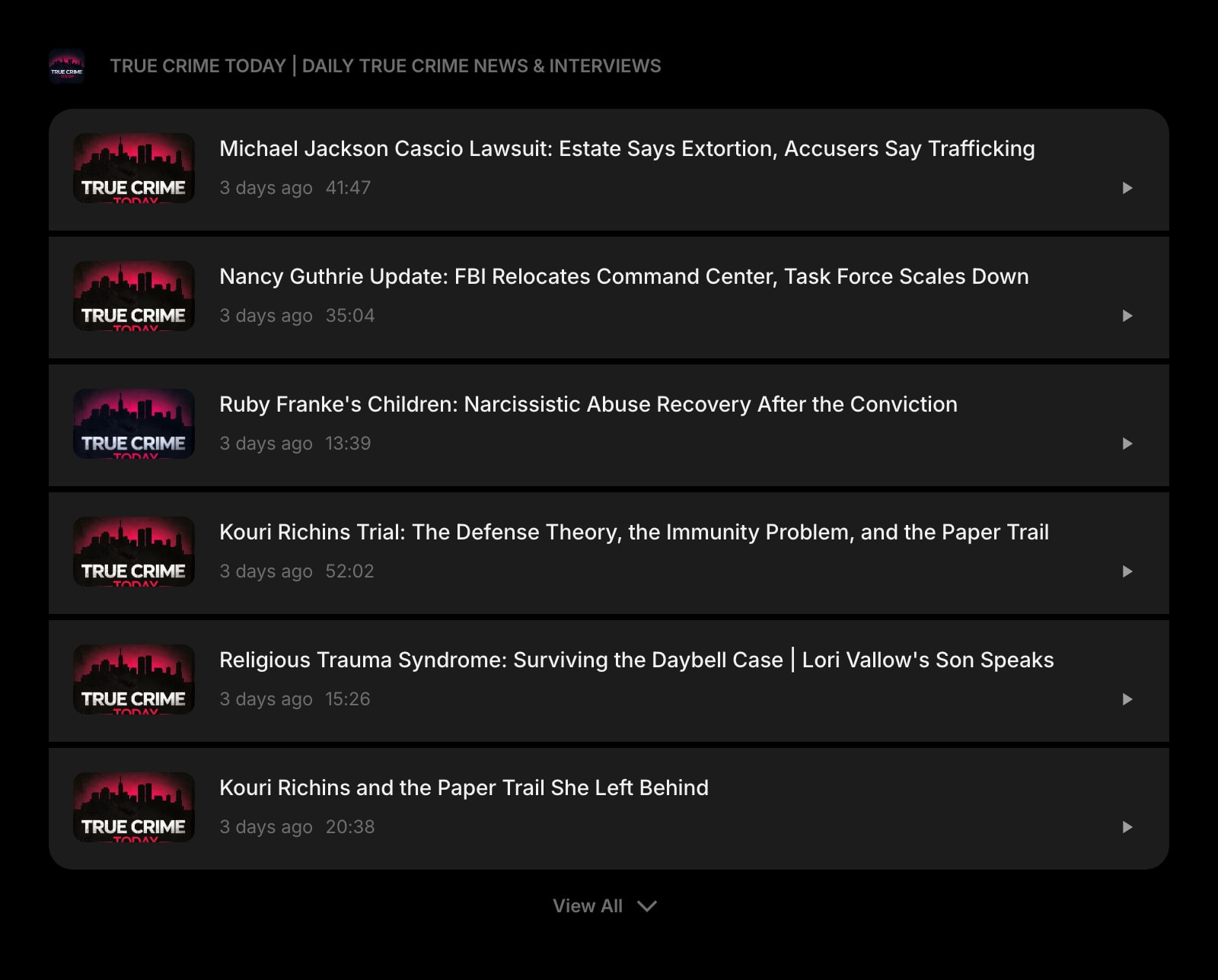
Podcast
New episodes from your favorite shows on your new tab, so podcast checking does not require opening a separate timeline app.
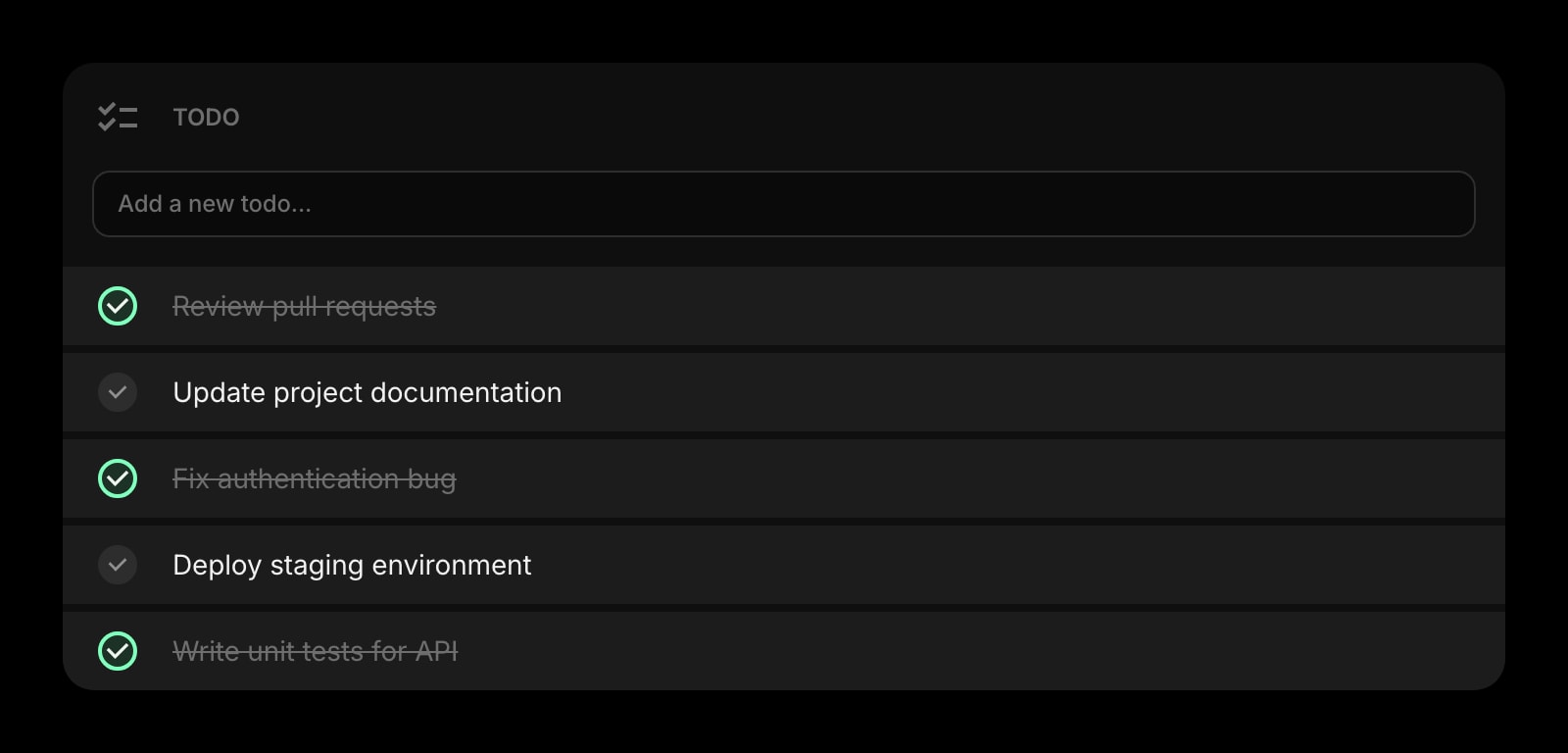
Todo
A daily task list that lives next to your feeds — so the article you just skimmed can become a follow-up task without switching apps.
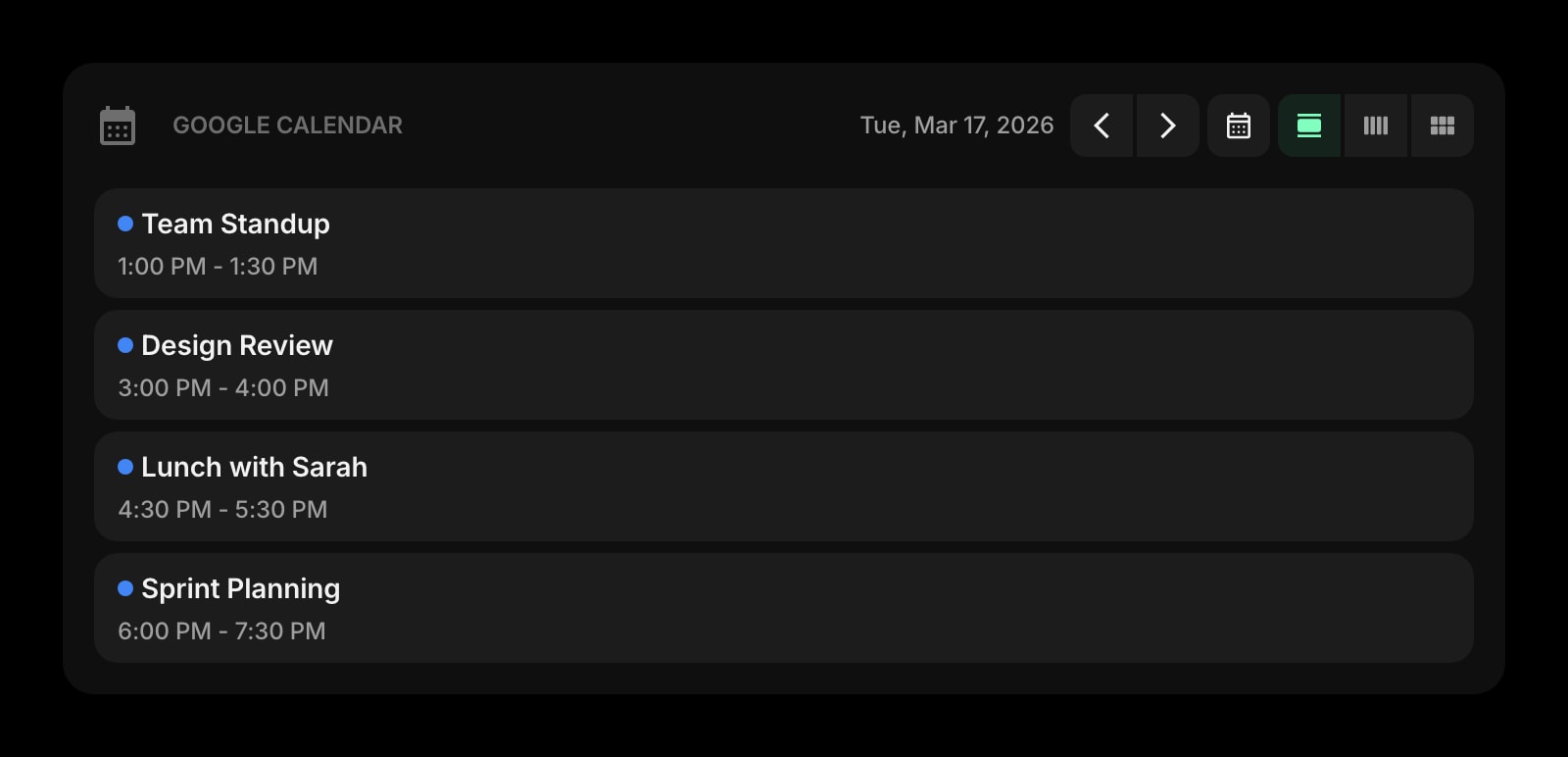
Google Calendar
Today’s meetings on the same page as your reading list — no bouncing between a reader, an inbox, and a calendar to plan the day.
Frequently Asked Questions
Reeder Classic can: it syncs with Feedly alongside Inoreader, Feedbin, NewsBlur, FreshRSS, BazQux Reader, The Old Reader, FeedHQ, and iCloud, so your Feedly subscriptions and read states show up natively in the app. The new Reeder cannot — it is a self-contained app that syncs only through iCloud and does not connect to third-party services. If reading Feedly through a native Apple app is the goal, Reeder Classic is the one you want.
They are two separate apps from the same developer. The new Reeder is a timeline-style app with RSS, YouTube, podcasts, Mastodon, and Bluesky in one stream, iCloud-only sync, and a $1/month (or $10/year) Reeder+ subscription after a 10-feed free tier. Reeder Classic is the traditional RSS client (formerly Reeder 5): unread counts, three-pane layout, third-party sync services, and a one-time purchase of $4.99 on iOS/iPadOS and $9.99 on macOS.
Reeder, by a wide margin. Reeder+ is $10/year and Reeder Classic is a one-time $4.99 (iOS) or $9.99 (Mac), while Feedly Pro is about $72/year and Pro+ (the tier with Leo AI) about $99/year billed annually. The comparison is only partly fair, though: Feedly’s price pays for a hosted service, Leo AI, and team integrations, none of which Reeder offers. If you pair Reeder Classic with a paid Feedly account, you pay for both.
No. Both Reeder apps are Apple-only — iPhone, iPad, and Mac — with no web app, so there is no way to open your Reeder timeline on a Windows PC or Android phone. Feedly covers those platforms with its web app and official Android app. If your devices are mixed, that single fact usually decides this comparison.
Yes. Feedly exports your subscriptions as an OPML file, and both the new Reeder and Reeder Classic import OPML; the reverse direction works too. Read states, boards, and tags do not survive the trip, but the feed list itself moves over in a couple of minutes.
No. Reeder offers keyword filters and tags, but there is no AI prioritization, deduplication, or topic muting — and the developer positions that as a feature, not a gap: Reeder collects no data and shapes nothing. If you follow a handful of curated sources, you will not miss Leo. If you monitor hundreds of high-volume feeds for work, Leo (or a rules-based reader like Inoreader) earns its subscription.
The Verdict
This is less a feature fight than a fork in the road: Reeder is the best native reading experience money can buy on Apple devices — and very little money at that — while Feedly is a cross-platform service with AI, integrations, and team features that a personal client app was never meant to have. If you are Apple-only and read for yourself, pick Reeder and pocket the difference. If you work across platforms, monitor topics professionally, or share reading with a team, pick Feedly. And remember the hybrid: Reeder Classic syncing against a Feedly account gives you Feedly’s service with Reeder’s reading experience. If neither feels quite right — say, you want your feeds on every new tab, next to your tasks and calendar, on any OS — Start Page HQ is worth a look.