

Looking for a TinyPNG Alternative?
TinyPNG is the legendary image compression service with industry-leading quality and Photoshop, WordPress, and API integrations. Start Page HQ is the image compressor that lives on every new tab — runs locally, no uploads, no batch limits.
What People Love About TinyPNG
Before we get into where Start Page HQ goes further, credit where it's due.
- Industry-leading PNG and JPEG compression quality — small files that look indistinguishable from the originals.
- A polished Photoshop plugin and WordPress plugin that compress on save or upload.
- A well-documented API used in countless build pipelines and CMS integrations.
- A generous free web tier for occasional one-off image squeezing without an account.
- A trusted, long-running service from a team that has set the bar for lossy PNG compression.
Where Start Page HQ Goes Further
Specific differences, not vague claims.
Lives on Every New Tab
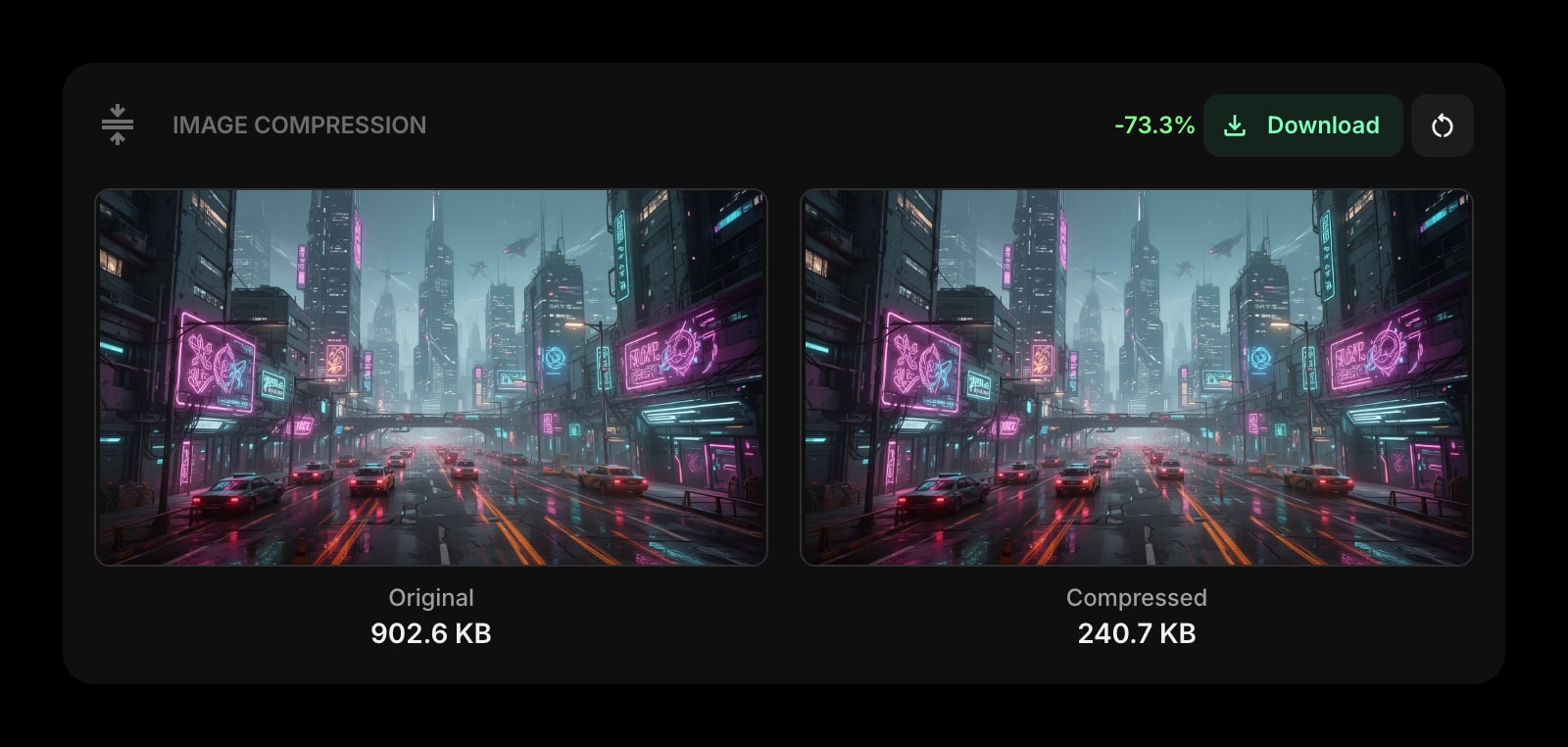
TinyPNG is a separate site you have to open. Start Page HQ ships an Image Compression widget that's already there every time you open a new tab — drag, drop, download, move on.
No 20-Image Batch Limit
TinyPNG's free web tier caps you at 20 images per upload (5 MB max each) — fine for occasional one-offs, friction when you need to bulk-compress a screenshot folder. Start Page HQ runs compression entirely in your browser, so there's no per-batch cap or file size cliff — compress as many images as your laptop can handle.
Runs Locally in Your Browser
Image compression happens in-browser — files never upload to a third-party server. Better for privacy on client work, NDA-covered assets, and anything you would rather not send out of your machine.
Sits Alongside 63+ Other Widgets
TinyPNG is a single-purpose tool. Start Page HQ pairs the Image Compression widget with JSON Formatter, Regex Tester, Text Diff, QR Codes, and 63+ more — all on the same dashboard.
Multi-Format Support
Compress PNG, JPG, and SVG in one widget — useful when you are flipping between formats for a single project.
Cross-Device Sync Built In
Dashboard layout syncs across every browser and device automatically. Sign in once and your dev-tools page travels with you.
Side-by-Side Comparison
An honest line-by-line look at how the two stack up.
| Feature | TinyPNG | Start Page HQ |
|---|---|---|
| Pricing | Free, or paid Web Pro / Web Ultra | Free plan; $4/mo, $24/yr, $48 LTD |
| Free tier | 20 images per upload, 5 MB max | 1 page, 8 widgets |
| PNG compression | Yes | Yes |
| JPG compression | Yes | Yes |
| SVG compression | No | Yes |
| Runs locally (no upload) | No | Yes |
| Photoshop plugin | Yes | No |
| WordPress plugin | Yes | No |
| Public API | Yes | No |
| Lives on every new tab | No | Yes |
| Chrome | Web only | Yes |
| Firefox | Web only | Yes |
| Safari | Web only | Yes |
| Edge | Web only | Yes |
| Browser extensions | No | Yes |
| Per-upload image cap | 20 (free) | None |
| Cross-device sync | No | Included |
| Other dev tools (JSON, regex, diff, QR) | No | Yes |
| Notes, todos, RSS, weather | No | Yes |
Widgets That Replace TinyPNG
Drop these onto your dashboard and you've covered TinyPNG's core features — plus a lot more.
Frequently Asked Questions
On heavily-detailed PNGs, TinyPNG's pngquant-based pipeline can squeeze a few extra percentage points compared to the in-browser tooling — that's its core strength. For everyday web assets and screenshots, the Image Compression widget gets within a hair of the same output and saves you the upload step.
No. The Image Compression widget runs entirely in your browser — files never upload anywhere. Better for client work, NDA-covered assets, and anything sensitive.
No. The widget runs locally in your browser, so there's no per-batch image cap or 5 MB file size cliff — drop in a folder and compress as many images as you want, as often as you want.
Yes — there is a free plan, and signup takes no credit card. It covers 1 page with up to 8 widgets, 55 of the 63 widget types including Image Compression, cross-device sync, every browser extension, and 50 AI credits granted once. Extra pages, the 8 premium widgets, and file uploads need a paid plan: $4/month, $24/year, or $48 one-time. The demo at startpagehq.com/demo needs no signup and unlocks every widget.
TinyPNG offers paid Web Pro and Web Ultra subscriptions for unlimited compressions and larger file sizes. Start Page HQ starts free — 1 page, 8 widgets — then $4/month, $24/year, or $48 once for lifetime, and you also get JSON Formatter, Regex Tester, Text Diff, QR Codes, and 63+ more widgets in the same plan.
No — the widget covers the manual drag-and-drop case from the new tab. If your workflow depends on automatic compression on WordPress upload or Photoshop save, keep the TinyPNG plugins for that pipeline and use the widget for one-off optimizations.
Ready to Try Start Page HQ?
Start free — 1 page, 8 widgets, sync across devices, no credit card. Or open the live demo first, no signup needed.