

Looking for a Weather Channel Alternative?
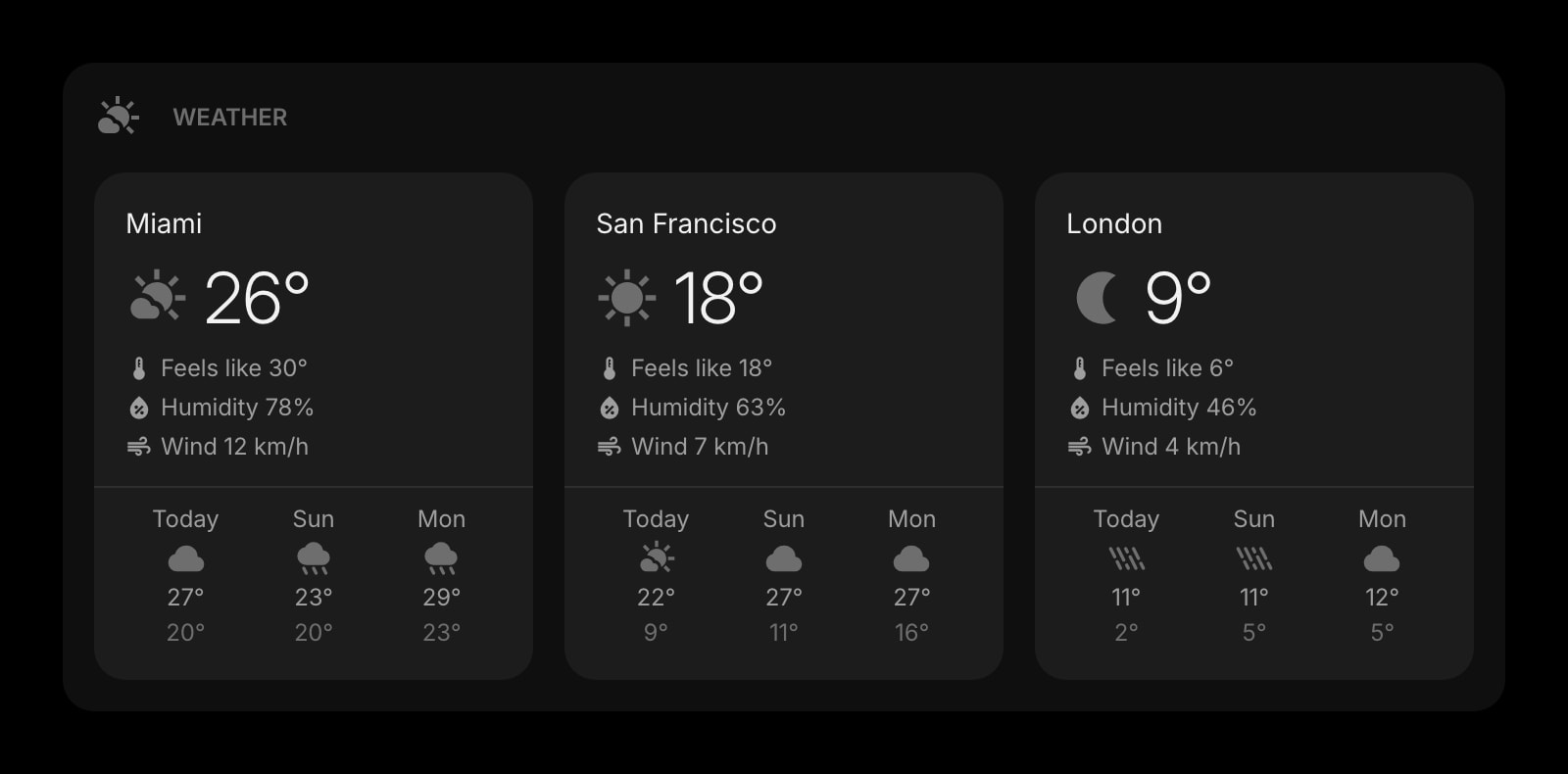
The Weather Channel is the household weather brand — heavy on news, video, and seasonal coverage. Start Page HQ is the weather widget that lives on every new tab — current conditions and forecasts for the locations you care about, with no ads or video autoplay.
What People Love About The Weather Channel
Before we get into where Start Page HQ goes further, credit where it's due.
- A trusted, decades-old brand with deep meteorology talent and severe-weather coverage.
- Rich video, news, and seasonal storytelling that goes well beyond "what is the temperature."
- Free to use on the web and mobile, with no account required for the basics.
- Severe weather alerts and radar imagery integrated tightly with the forecasts.
- Companion mobile apps on iOS and Android with a long track record of refinement.
Where Start Page HQ Goes Further
Specific differences, not vague claims.
Lives on Every New Tab
Weather.com is a separate site you have to open. Start Page HQ ships a Weather widget that's already there every time you open a new tab — current conditions and the next few days, no clicks needed.
No Ads, No Video Autoplay
The Weather Channel runs heavy display ads, video pre-rolls, and news interstitials around the forecast. Start Page HQ never sells ads — on the free plan or a paid one, the Weather widget shows the forecast, nothing else.
Multiple Locations, At a Glance
Track home, work, a parent, and your next trip on one dashboard. No tab-switching, no zip code re-entry.
Sits Alongside 63+ Other Widgets
Pair Weather with World Clock, Calendar, News, Tasks, and 63+ more widgets on the same page — your morning routine in one tab.
Multi-Page Dashboards
Build a "Morning" page with Weather, World Clock, and News. Build a "Trip" page with weather for your destination plus links and a packing checklist. Switch between them with a click.
Cross-Device Sync Built In
Set your locations once and they sync across every browser and device automatically. Open a new laptop, sign in, and your weather follows.
Side-by-Side Comparison
An honest line-by-line look at how the two stack up.
| Feature | The Weather Channel | Start Page HQ |
|---|---|---|
| Pricing | Free, ad-supported | Free plan; $4/mo, $24/yr, $48 LTD |
| Free tier | Yes, full product | 1 page, 8 widgets |
| Current conditions | Yes | Yes |
| Multi-day forecast | Yes | Yes |
| Hourly forecast | Yes | Yes |
| Interactive radar map | Yes | No |
| Severe weather alerts | Yes | No |
| Video forecasts and news | Yes | No |
| No ads | No | Yes |
| Lives on every new tab | No | Yes |
| Multiple saved locations on one screen | Limited | Yes |
| Chrome / Firefox / Safari / Edge | Web only | Yes |
| Native browser extensions | No | Yes |
| Cross-device sync | With account | Included |
| Multi-page dashboards | No | Yes |
| Other widgets (calendar, tasks, news, RSS) | No | Yes |
Widgets That Replace The Weather Channel
Drop these onto your dashboard and you've covered The Weather Channel's core features — plus a lot more.
Frequently Asked Questions
The Weather widget pulls from a reputable forecast provider and is fine for everyday "should I bring a jacket" decisions. For severe-weather warnings, hurricane tracking, or storm chasing, keep weather.com or its mobile app — that depth is its specialty.
No. The Weather widget shows current conditions, hourly, and multi-day forecasts. If you need an interactive radar, weather.com or a dedicated radar app stays in your toolbox.
Yes. Add as many Weather widgets as you like to a page, each with its own location — home, office, family, your next trip — all visible at once.
Yes — there is a free plan, and signup takes no credit card. It gives you 1 page with up to 8 widgets, 55 of the 63 widget types including Weather, cross-device sync, every browser extension, and 50 AI credits granted once. Extra pages, the 8 premium widgets, and uploads need a paid plan: $4/month, $24/year, or $48 one-time. The demo at startpagehq.com/demo still needs no signup and unlocks every widget.
Yes. Start Page HQ has native extensions for Chrome, Firefox, Safari, and Edge, plus a hosted web app at startpagehq.com that works in any modern browser.
Yes. Sign in once and your saved locations sync across every browser and device automatically — same setup on phone, laptop, and work computer.
Ready to Try Start Page HQ?
Start free — 1 page, 8 widgets, sync across devices, no credit card. Or open the live demo first, no signup needed.